
Cloud applications
Cloud Video Recorder
A service that sends camera video to the cloud and records it continuously
Offered in Japan. Specifications and certifications are for use in Japan.
SituationsUse cases
Use cases that feature this product. Each link opens the products for that use case.
FeaturesFeatures
A service that sends camera video to the cloud and records it continuously
- Simple, low-cost equipment on site
- All video is recorded in the cloud, so you can view recorded video with simple operations
- Live video can be shown per camera or on a video wall
Cloud Video Recorder overview
Cloud recording with a simple on-site setup that greatly reduces costs
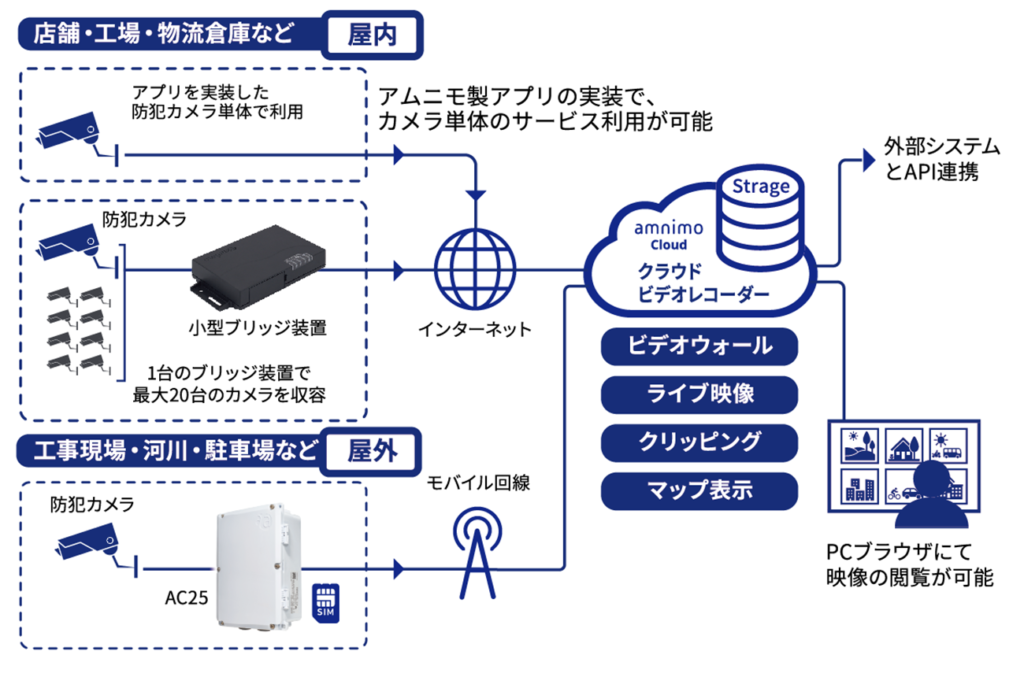
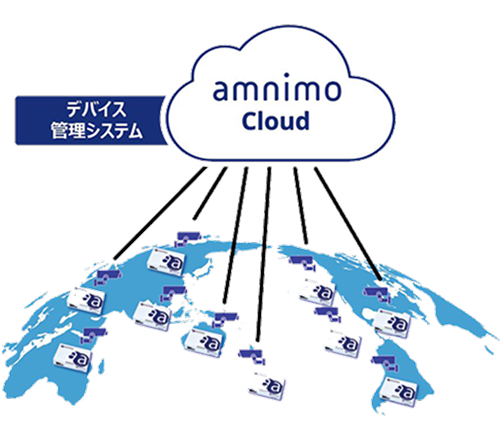
- Use cloud recording with a simple on-site setup built around a small bridge device
- With the Compact Router with Wireless LAN (Outdoor) AC25, you can also use it outdoors over a mobile network
FeaturesFeatures
Small devices reduce equipment costs
- Only a small bridge device is installed on site, so it fits in small spaces
- The simple configuration and easy device management reduce installation and operating costs
- Can be installed outdoors (equipment designed for outdoor use; mobile networks can be used)
In addition to the retention period, you can choose the resolution and quality of stored video
- Monthly pricing based on how long recorded data is stored in the cloud
- Besides standard resolution and quality, plans for high-resolution, high-quality recording are also available
Features for viewing and monitoring video
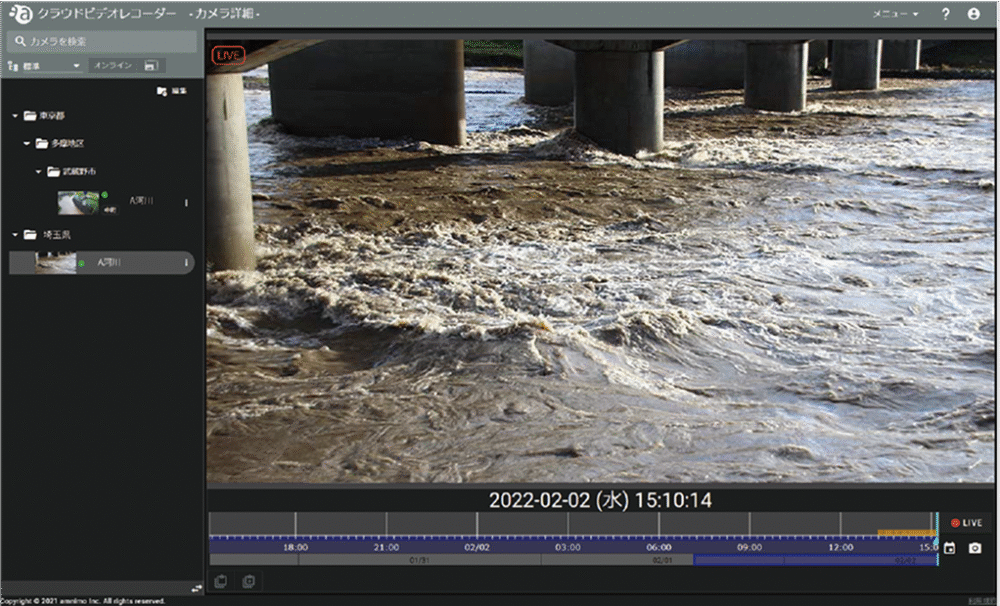
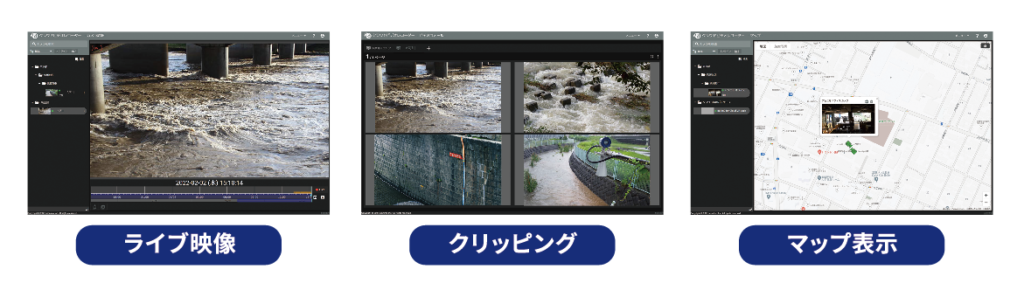
Individual camera view / control
- Show live video
- Show past video
- Control camera PTZ (pan-tilt-zoom) remotely *New feature
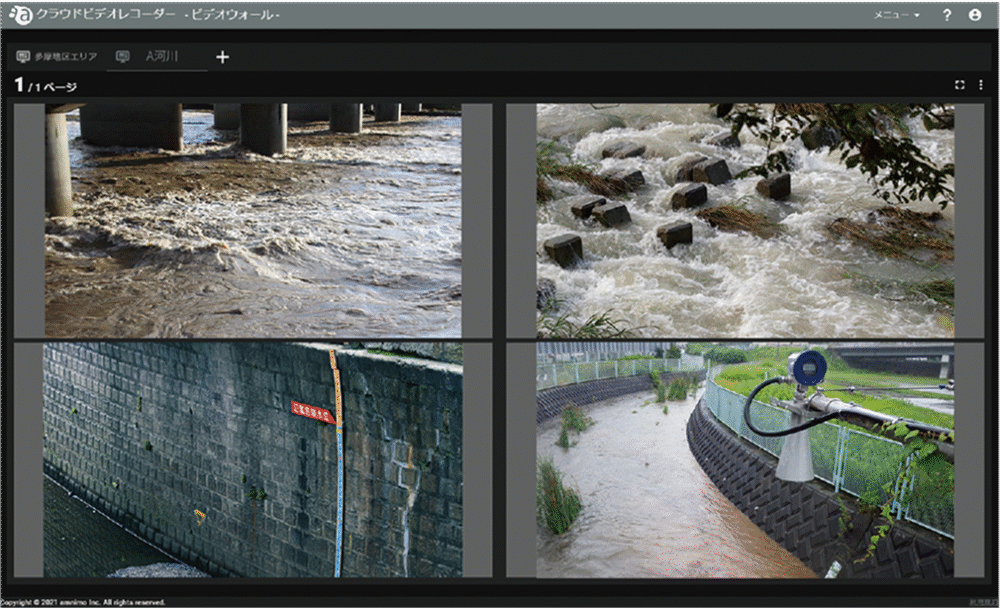
Video wall view
- Shows still images updated at regular intervals
- Live video can also be shown
Video clipping
- Cut out part of the recorded video and keep it in the cloud long term
- Clips can also be downloaded and saved to a PC
With a camera application, you can build a system that needs no bridge device
- Use the Cloud Video Recorder service with cameras only
- No bridge device needed, which reduces costs
- A simple setup reduces the work of building, maintaining, and operating the system
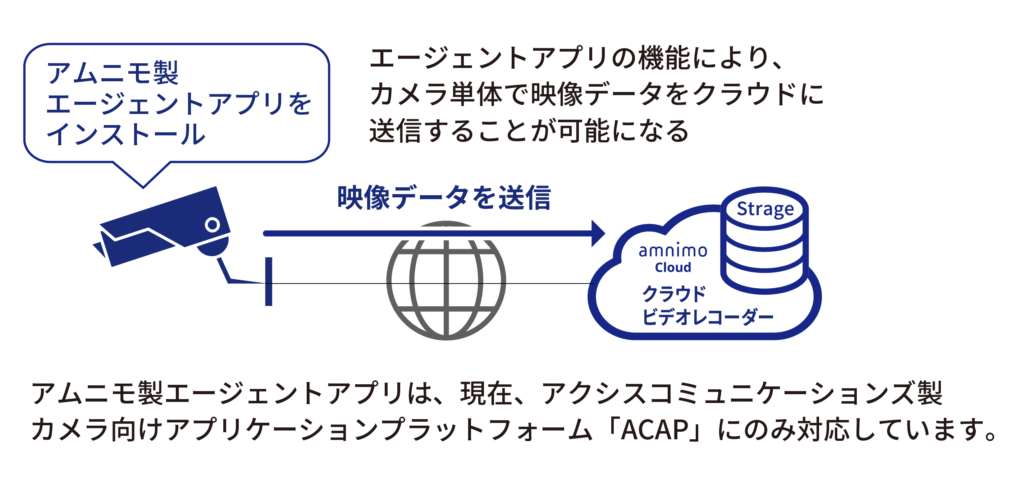
*For details on supported OSs and camera models, see the table System configuration using cameras only and other information at the bottom of this page.
SystemExample configurations
System configurations and integrations A service that sends camera video to the cloud and records it continuously Simple, low-co… View example configurationsColumnsRelated articles
-
 Security cameras
What is cloud recording? How it works, how to use it, and its advantages and disadvantages
Mar 23, 2023 -
 Security cameras
How to choose security cameras: security, surveillance, and protection systems drawing attention from security companies
Mar 25, 2023 -
 Security cameras
Trends in surveillance camera systems: Edge recording vs. cloud recording
Mar 22, 2023 -
 IoT routersSecurity cameras
Which recording method suits your surveillance cameras? Recording methods and storage media compared
Jan 22, 2024
DownloadDownloads
Specifications, manuals, and videos
Before You StartCommon questions before purchase(We answer individually)
How much video can be stored in the cloud, and for how long?
Contact us with the products you use and your application (number of cameras, how long you want to keep video, and so on).
How much data does it use?
Contact us with the products you use and your configuration (number of cameras and so on).
How are costs broken down?
Tell us your device, cloud, and network configuration, and request a quote.
What should I check first when there is a problem?
Search the FAQ (Japanese) for your symptoms. If that does not solve the problem, send a request through the form on our support site (Japanese).
How is security handled?
See the Product security page for vulnerability handling and software updates. For questions about the security of this product, contact us.
Related ProductsRelated products


Contact usProduct inquiries and documents
We can help you choose products and put together a package for your application. Consultations are free.