Trends in surveillance camera systems: Edge recording vs. cloud recording
Mar 22, 2023
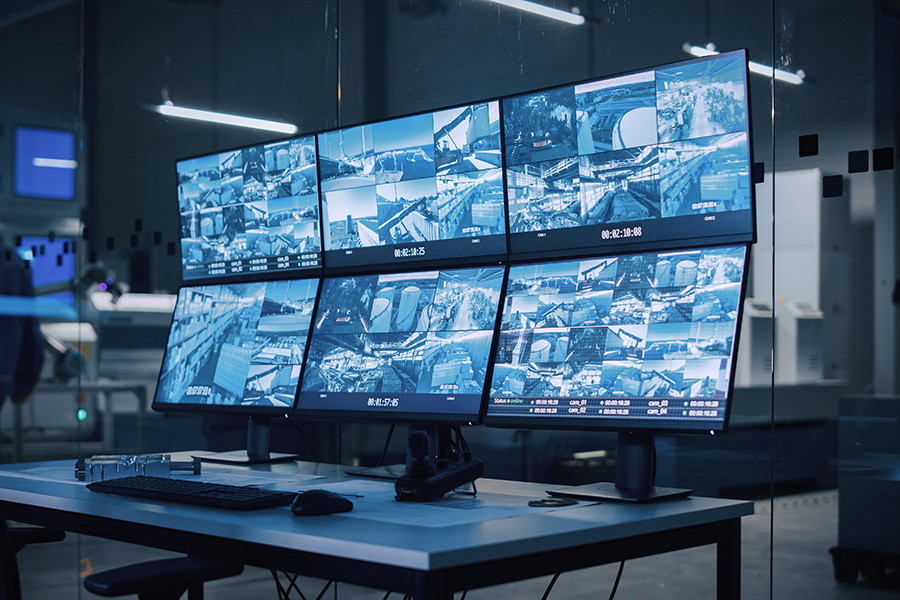
As networking spreads across many industries, camera manufacturers are focusing on network cameras. More companies are also using video data not only for crime prevention but also to make their work more efficient.
Surveillance camera systems are now being deployed in many industries. This article explains where adoption stands today and the challenges involved, from the perspective of edge recording and cloud recording.
Two trends driving the adoption of surveillance camera systems
Surveillance cameras are moving onto networks
Until a few years ago, most surveillance cameras were analog cameras with no network connection. Because of problems such as
- a camera freezing without anyone noticing, and
- SD cards failing after too many write cycles,
people often found that a camera had stopped recording only when they needed its video.
With the spread of IoT, more surveillance camera systems are now connected to the internet. With IP cameras, you can easily view video from a remote location, over a local network or over the internet. In some cases, a SIM card is inserted directly into the camera, and video data is sent over a cellular network.
Keeping cameras connected to the internet through communication devices makes device health monitoring possible. You no longer find out too late that a camera has stopped. Beyond health monitoring, network connectivity has also led to retrieving video over the network and to “video solutions” that control cameras remotely.
Adding video to remote equipment monitoring
With recent power shortages, renewable energy such as solar power and wind power is becoming more important. Chronic labor shortages have also created strong demand to maintain industrial equipment and social infrastructure remotely as much as possible.
Social infrastructure has long been monitored remotely. This monitoring uses operating information generated by the equipment and data output by sensors attached to it.
More and more people, however, say this monitoring is not enough. This is especially true for unattended equipment at remote sites, where there are challenges such as the following:
- With conventional monitoring, you cannot get enough information once the equipment itself stops.
- Even if you can get data from the equipment, you cannot detect problems around it, such as a fire or disaster. This delays the first response and recovery.
These are some of the challenges.
To address them, more operators are installing surveillance cameras and monitoring with camera video, in addition to operating information and sensor data. This need arises, for example, at renewable energy power plants that often run unattended at remote sites, at power transmission and transformation facilities, along railway lines, and around airports.
Surveillance camera systems are being used more and more for purposes other than crime prevention. For more examples of video monitoring, see the link below.
Use cases: many examples of video monitoring (Japanese)
Edge recording and cloud recording
The best protection against network outages is for each operator to use a system with network redundancy as well. For example, you can keep a connection with another carrier as a backup to your main mobile carrier. In recent years, smartphones such as the iPhone have come out with dual SIM support, and we recommend using devices that can use lines from multiple carriers in this way. Monthly plans for small amounts of data, such as “low-cost SIMs (MVNO),” are now inexpensive, which makes contracts with multiple carriers easier. To protect against network outages, you need the following three conditions.
Edge recording
In the past, most surveillance cameras were not connected to the internet. They used edge recording, which saves video and image data to local storage: inside the camera, or on a recorder in a nearby control room. To check the video, someone had to go to the site and bring back the SD card, or view the video where the recorder was located. These recorders are called NVRs (network video recorders) or DVRs (digital video recorders).
Advantages of edge recording
Edge recording is used mostly with older surveillance cameras. Its advantages are low initial cost and easy installation.
- No network build-out or mobile connection is needed, so it is relatively inexpensive to install.
- No knowledge of network design is needed, so installation is relatively easy.
- It is not connected to the internet, so there is no risk of data leaks over the internet.
Disadvantages of edge recording
Edge recording spread because it was easy to install. As it was used over time, however, challenges appeared.
For example, to view camera data, you must send someone to the site to collect the SD card or other recording media. Even with an NVR or DVR, someone must go to the control room to view the video. This leads to challenges such as:
- Inconvenience, because you cannot see the data right away
- Cost and labor to send staff to the site
- Difficulty managing many cameras installed over a wide area
- Difficulty checking video frequently from a remote location
These challenges arose in practice.
In addition, as surveillance cameras have become more powerful, cameras in operation freeze more often. A frozen camera can often be recovered just by turning the power off and on. With edge recording, however, someone must be sent to the site to do this.
When video is recorded to an SD card, there is also a risk that saved data will be corrupted, because SD cards have a limit on the number of write cycles. This limit varies greatly by card type. For surveillance recording, we recommend cards with a high write-cycle limit.
Cloud recording
Meanwhile, as cameras move onto networks, more cameras connect to the internet through a router or gateway. This lets you check video, detect camera failures, restart a camera that has stopped, and change settings, all from a remote location.
Along with this shift, cloud recording, which saves all camera video in the cloud, has also spread in recent years. It is often used for remote monitoring and for checking video from multiple security cameras. With video data stored in the cloud, you can check video from a PC, smartphone, or other mobile device without going to where the security camera is. As cameras have become more capable, network cameras with PTZ (pan-tilt-zoom) control have appeared, so cameras can also be operated remotely. There are also more packaged cloud recording services that let you set up a surveillance camera system easily, without a large system or large equipment. They are being adopted widely, from homes to industry.
For a detailed explanation of cloud recording, including how it works, see the article below.
What is cloud recording? How it works, how to use it, and its pros and cons (Japanese)
Advantages of cloud recording
Because cameras are connected to a network, there are many advantages, such as device health monitoring and remote viewing. The biggest advantage is that you can view camera video from anywhere, 24 hours a day, 365 days a year, with any PC, smartphone, or tablet that can connect to the internet. Because video data is easy to view remotely, you can use it in more ways.
Cloud recording also has advantages in management, safety, and processing power.
Management advantages
- Manage surveillance video from stores and factories spread over a wide area in one place.
- Record video to a large storage area without buying physical recorders.
- No need to set up servers in-house to store video, so management is simple.
Safety advantages
- Save video from cameras installed in hazardous outdoor locations where a recorder or storage server cannot be placed nearby.
- With proper user management, you can limit who can view which data.
- Even if on-site equipment is damaged, for example by fire, the video recorded up to just before the damage remains in the cloud and is not lost.
Advanced processing
- Analyze and search data easily in the cloud.
- Run AI image recognition, such as motion detection, face authentication, and people counting, in the cloud, where computing power is high.
- Set up notifications of the processing results.
Disadvantages of cloud recording
Cloud recording is convenient in many ways, but it also has some disadvantages. Especially when cloud recording runs over a mobile network, the challenges are:
- Higher communication costs
- Heavy use of network bandwidth
Video data is large, so the amount of data sent tends to be large. As technology advances, high-resolution cameras are becoming more common, and data volumes keep growing. Over a mobile network, communication costs become high, and heavy bandwidth use can make it harder for other nearby devices to communicate.
As a result, cloud recording is used mainly where a fixed-line connection is available, rather than over mobile networks. Where there is no fixed line, installing one is very expensive, so some operators give up on connecting to the internet.
Also, because video data is large, the cost of storing it in the cloud tends to be high.
Yet it is said that most of the video data stored at this cost is not needed. Over 99% of the video captured by surveillance cameras shows normal conditions, and after a certain period it is discarded without ever being viewed. In other words, most captured video is routine footage and not needed. What you need is video of when something happens: for example, “when an intruder enters” for crime prevention, or “when a river rises” for disaster preparedness. Even if you pay to store video data, you do not necessarily need all of it.
Cloud recording also has the following challenges:
- Data is sent over the public internet, so security measures are needed.
- There are major constraints, such as being unable to choose the camera or the video resolution.
- If the internet connection is unstable, recorded video data may be lost.
A hybrid edge and cloud service: Enhanced Video Management System
The Enhanced Video Management System from amnimo Inc. solves these challenges of edge recording and cloud recording while offering the advantages of both.
Video data is recorded continuously on a device called an edge gateway. This reduces the cost of sending and storing data in the cloud, and the risk of service stopping because of internet connection problems, as can happen with cloud recording. At the same time, the edge gateway has communication functions, so you can access recorded data on the on-site device remotely.
Routine video is recorded continuously to a local SSD in the device installed on site. Only the data you need is uploaded to and stored in the cloud, when you need it. This lets you monitor remotely while keeping communication and storage costs down.
Examples of data that is actually uploaded
- Thumbnail images sent at regular intervals
- A few minutes of video linked to an alert
- Only the needed parts of video kept on the edge device, uploaded to the cloud later
- A few minutes of live video, viewed only when you want to see it
In this way, only a small share of all video is sent to the cloud. You can use video in the cloud without raising communication costs, even over a mobile network.
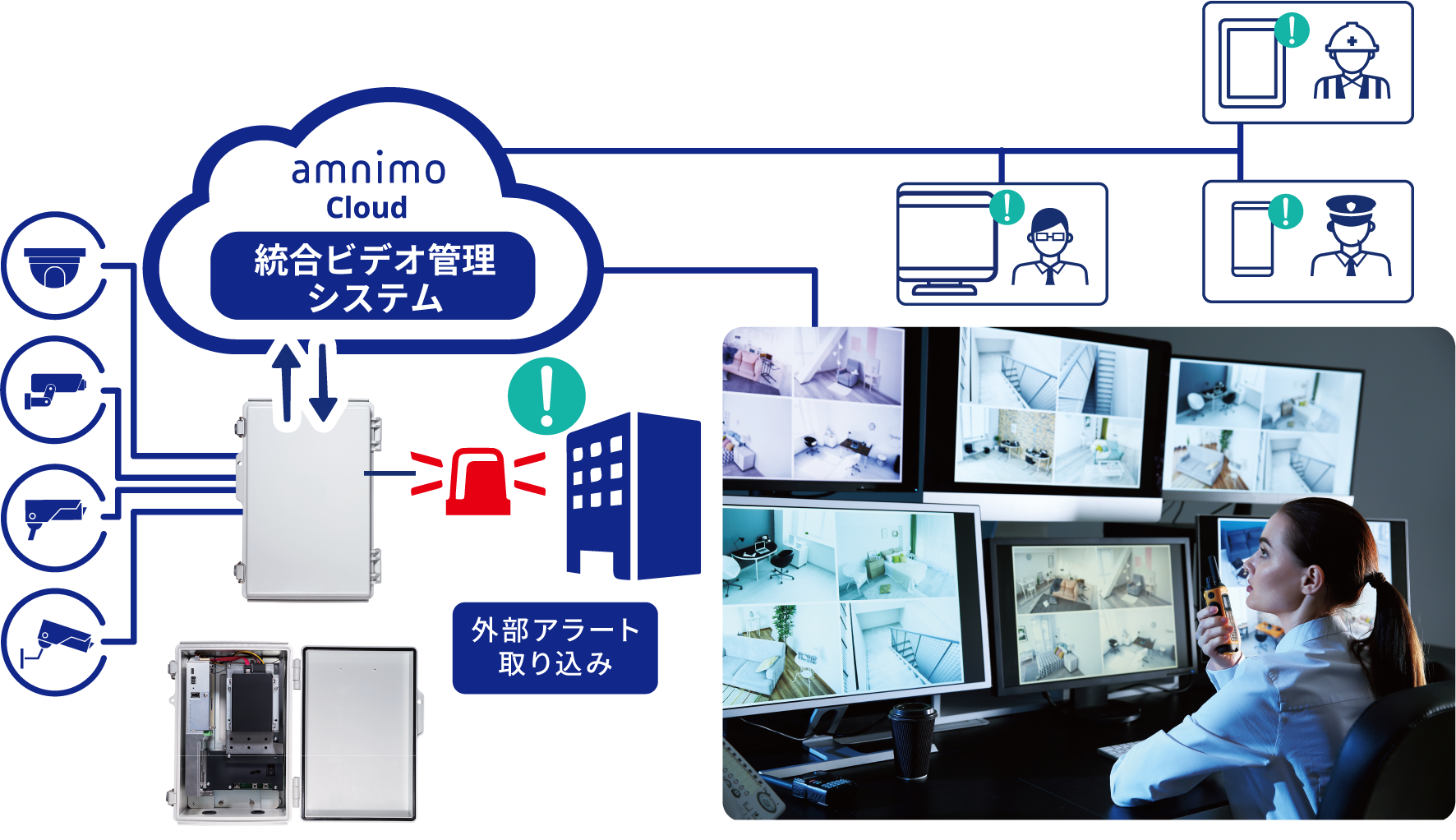
amnimo’s video solution combines the advantages of edge recording and cloud recording. It provides a practical surveillance camera system that solves cost and operational challenges.
You can download documents on the Enhanced Video Management System, the amnimo video solution introduced in this article, below.

Products related to this article

Contact usProduct inquiries and documents
We can help you choose products and put together a package for your application. Consultations are free.