
Surveillance and security camera systems
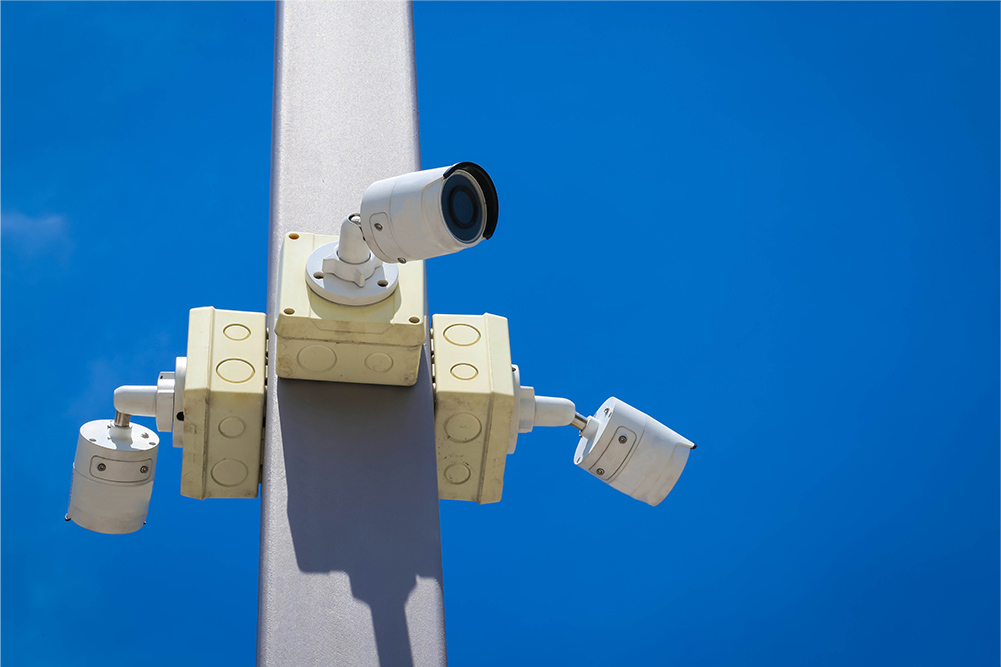
Surveillance cameras: from “installing them” to “making use of the video”
Overview
When surveillance cameras first became common, simply having them installed deterred crime, so many places even installed dummy cameras. Analog cameras were the norm at that time. Later, the focus shifted to reviewing recorded data after an incident or accident. Today, we have entered an era in which we need to think about how to use the video we capture. With high-resolution network cameras, the internet, the cloud, operational monitoring, and AI video analysis, video is expected not only to confirm past events but also to help predict the future. Surveillance cameras are expected to become core infrastructure for smart cities. As a result, the players who install surveillance cameras are also changing, from camera installers to maintenance and operation companies and solution vendors with strong IT skills, such as networking.
Challenges
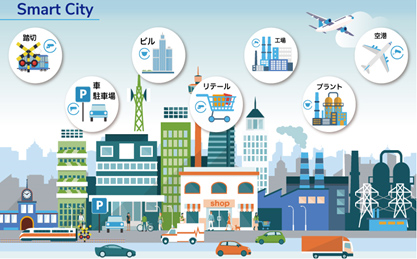
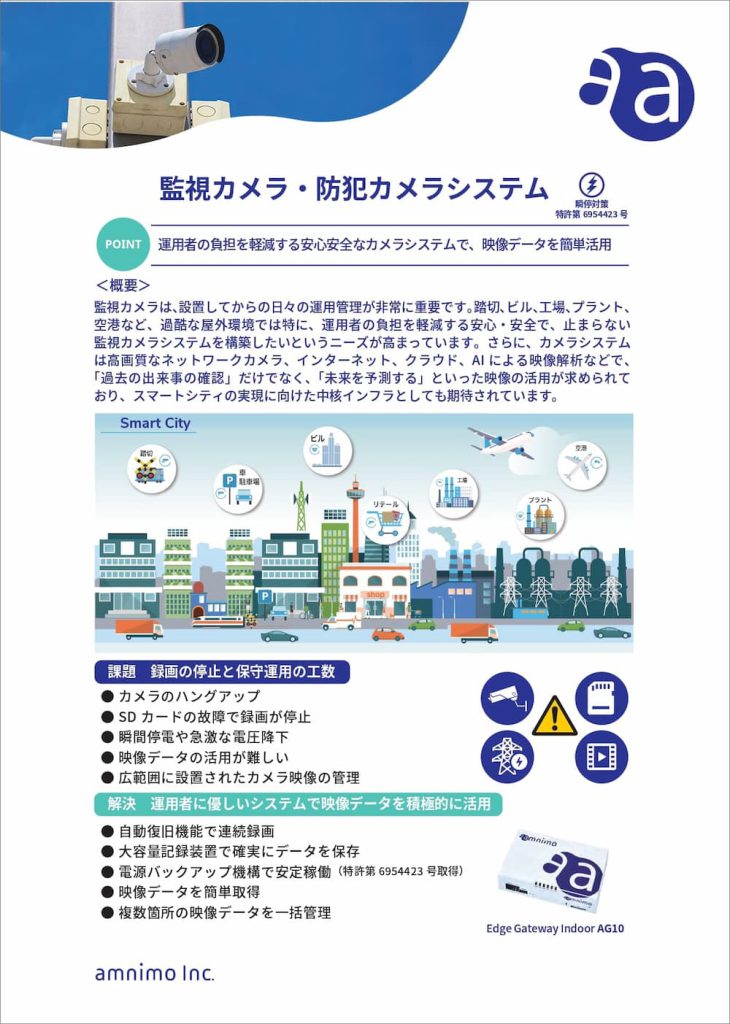
With surveillance cameras, installation is not enough. Day-to-day operation and management are very important. So ask yourself: “Can we recover quickly when a camera stops?” and “Are we making use of our surveillance video?” With natural disasters now occurring frequently, surveillance cameras are used not only for crime prevention in stores and offices, but also for monitoring underpasses and rivers during heavy rain. Demand is also growing for safe, reliable camera systems that keep running, not only indoors but especially in harsh outdoor environments such as railroad crossings, buildings, factories, plants, and airports.
However, in outdoor and similar locations, cameras are often not working properly. Typical causes include the short life of the SD cards used as recording media and freezes of camera units installed in harsh outdoor environments. Yet most cameras are mounted high up outdoors and are sealed against water, so even a simple recovery takes a great deal of time and cost.
We also hear from customers that they “installed cameras but have not gotten as far as using the video.”
Many surveillance cameras are still not connected to a network. There are cases where “images cannot be retrieved right away” or “there was no way to detect remotely whether the camera was working, so the needed footage was never recorded.” For these reasons, it is hard to say that camera video is being used to its full potential today.
Common problems with current surveillance cameras, and how they are handled in practice
- The camera hangs → Someone goes to the site and power-cycles it
- SD card recording stops → The SD card is replaced each time, or on a regular schedule
- Power noise or a momentary power interruption stops the camera → Someone goes to the site and power-cycles it
- You want to monitor video remotely → The SD card has to be removed from the camera to check the video
- You want to manage video from many locations remotely → Each camera’s video has to be checked individually
As these examples show, maintenance and operation are done by hand today, which takes time and money.
amnimo’s solution
1. Main problems amnimo solves
- Keep surveillance cameras running
- Confirm that cameras and gateways are working
- Keep recording even in harsh environments
- Do not lose recorded data
- Survive momentary power interruptions and brief outages without damage
- Find the video you need quickly, anytime, anywhere
- Keep remote communication from dropping
- Keep communication costs down
- A system that is easy for operators to use
2. amnimo’s system configuration and main features
The system consists of a device built for surveillance cameras (the Edge Gateway (Japanese)) and cloud application services (the Device Management System (Japanese), the Video Management System (Japanese), and the Enhanced Video Management System).
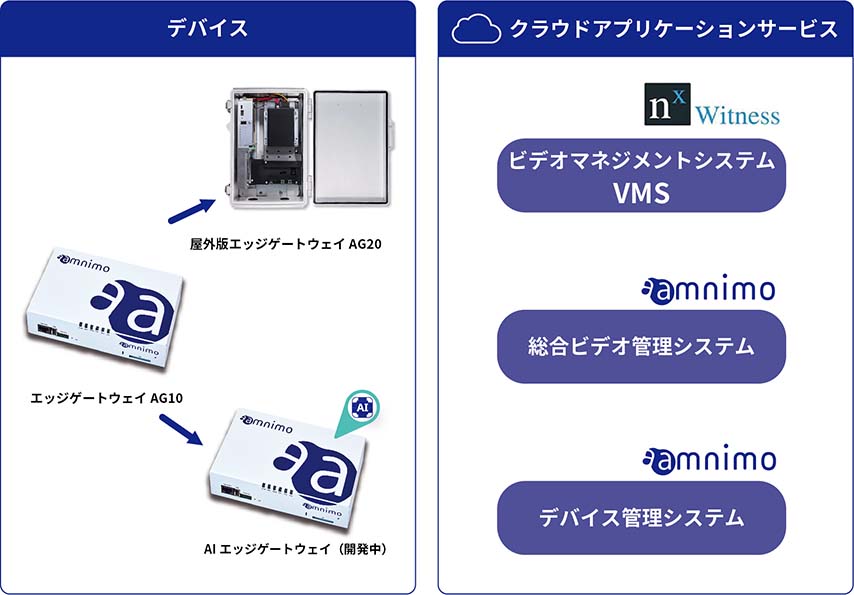
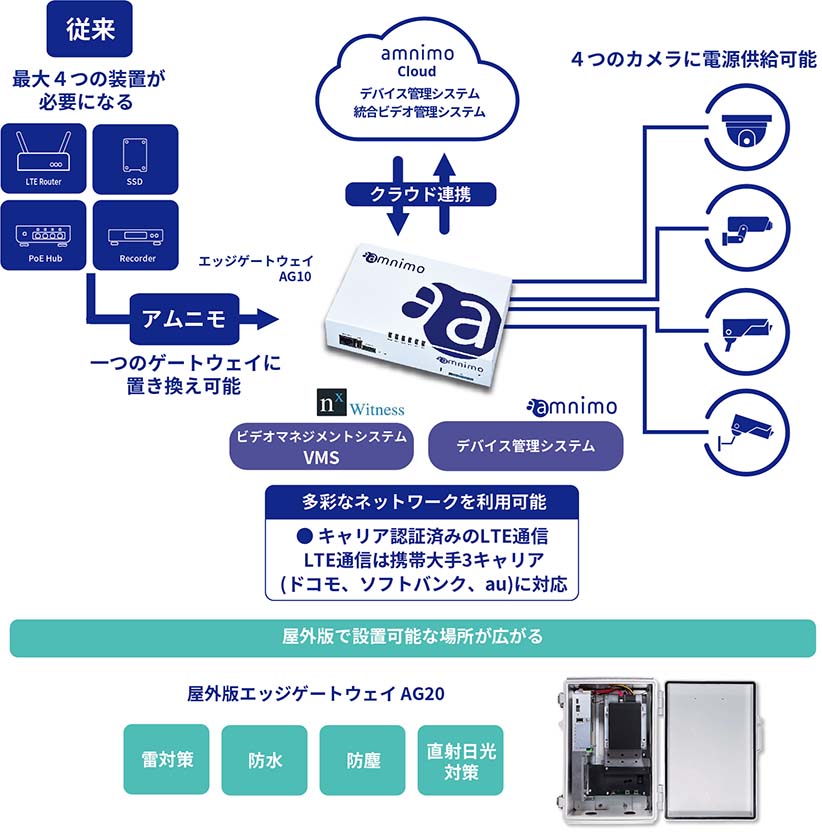
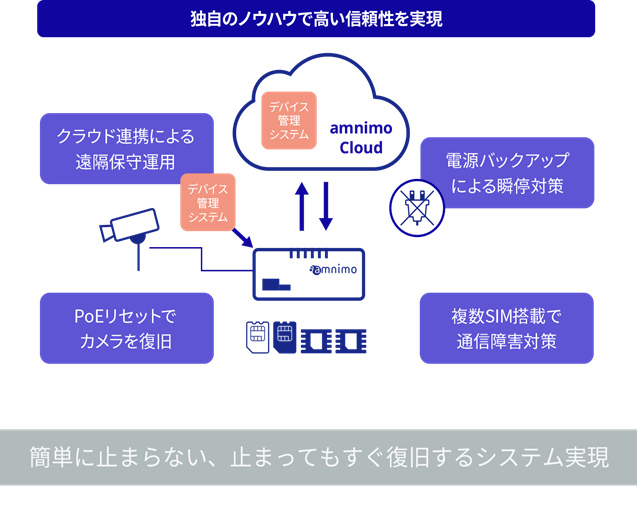
The Edge Gateway combines four functions in one compact unit: a PoE (Japanese) switch, an LTE communication device, a computer for VMS (Linux), and an SSD video recorder. Because these functions work together, this single unit can do many things that were not possible before. There are no duplicate units, so it also lowers deployment costs.
(1) Prevents camera hang-ups
The Edge Gateway has four PoE (Japanese) (Power over Ethernet) ports, so cameras connect with just an Ethernet (LAN) cable and receive power without a separate power supply. The Edge Gateway monitors the cameras at all times. If a camera stops working properly, a PoE (Japanese) reset can bring it back. Note: Any IP camera that supports the ONVIF (Japanese) standard can be connected.
(2) Records 24 hours a day, 365 days a year
SD cards have limited write cycles and can heat up, so they are not suited to long use in harsh outdoor environments. The Edge Gateway (Japanese) therefore uses an SSD as a reliable recording medium and has built-in Video Management System (Japanese) (VMS) software that controls recording. This ensures that data is recorded and saved, and also makes video analysis more efficient.
(3) Keeps cameras running through momentary power interruptions (Japanese) and sudden voltage drops
Power tends to be unstable at railroad crossings, construction sites, and manufacturing sites. At a construction site, for example, equipment that draws a lot of power, such as a compressor, may be connected partway along the power supply. The voltage can drop suddenly and cause a momentary power interruption, making devices unstable or stopping them. The Edge Gateway is designed for these harsh environments. It has an internal inverter circuit and finishes writing to the SSD before power is lost (Japanese Patent No. 6954423). This protects the SSD from damage.
(4) Enables remote monitoring
Where it is hard to run a wired line outdoors, a mobile network is used. The device holds four SIMs and can control and use four carriers. For example, if one carrier goes down during a disaster because carrier A’s base station is washed away, the device switches to carrier B, whose network is still up, in about 15 seconds. This keeps communication going and minimizes the time the device is disconnected from the cloud.
(5) Manages video from multiple locations remotely
When many cameras are installed at many locations, you may want to view them together on the monitors of a central management center. We can meet that need. The system manages video from all devices in one place. It sends only thumbnails to the cloud and copies only the video clips you need. It also supports live video and integration with other solutions. Because only the information you need is uploaded to the cloud when you need it, communication costs stay low. You can view video on a PC, smartphone, or tablet.
3. Cloud application services for fast video analysis
Here are the cloud services that help you get more out of our Edge Gateway.
(1) Video Management System (VMS)
A VMS is software for making use of video. It configures and controls ONVIF-compliant cameras, records and analyzes their video, and provides smart search of recorded video. The Edge Gateway comes with Nx Witness from Network Optix preinstalled as its VMS. The smart search function is especially easy to use. When you select part of the screen in recorded video, it searches for and extracts the frames at the times when there was movement in that area. This makes investigations after an incident or accident more efficient, because you can quickly find and check scenes with movement in a specific place.
About the Video Management System (VMS) (Japanese)
(2) Device Management System
The Device Management System greatly reduces the work of maintaining and operating surveillance cameras spread over a wide area. For example, to view camera video through the Edge Gateway remotely, you first need to configure the network. The automatic initial setup function reduces this setup work. You can also change device settings and update firmware remotely.
When troubleshooting or handling a failure, you can monitor camera health remotely and remotely reset not only the cameras but also the Edge Gateway. You can also collect operation logs to find the cause of a problem. When you replace a device, transferring its configuration is easy.
About the Device Management System (Japanese)
(3) Enhanced Video Management System
The Enhanced Video Management System generates monitoring screens in the cloud and delivers them to your devices. It is well suited to managing recorded video from devices at multiple locations in one place. It shows video from cameras connected to multiple Edge Gateways together on one monitoring screen in the cloud. You can also monitor the overall status of your surveillance cameras on a large screen, periodically upload and display thumbnails generated by the cameras, and rotate through many camera feeds. Security operators can customize the display to suit their work, for example by pinning images from cameras with active alarms or setting the number of views per screen and the rotation rules.
Related case studies
-
 Field trial report: counting visitors at a trade show booth with the amnimo Portable AB11
AB11
Field trial report: counting visitors at a trade show booth with the amnimo Portable AB11
AB11
-
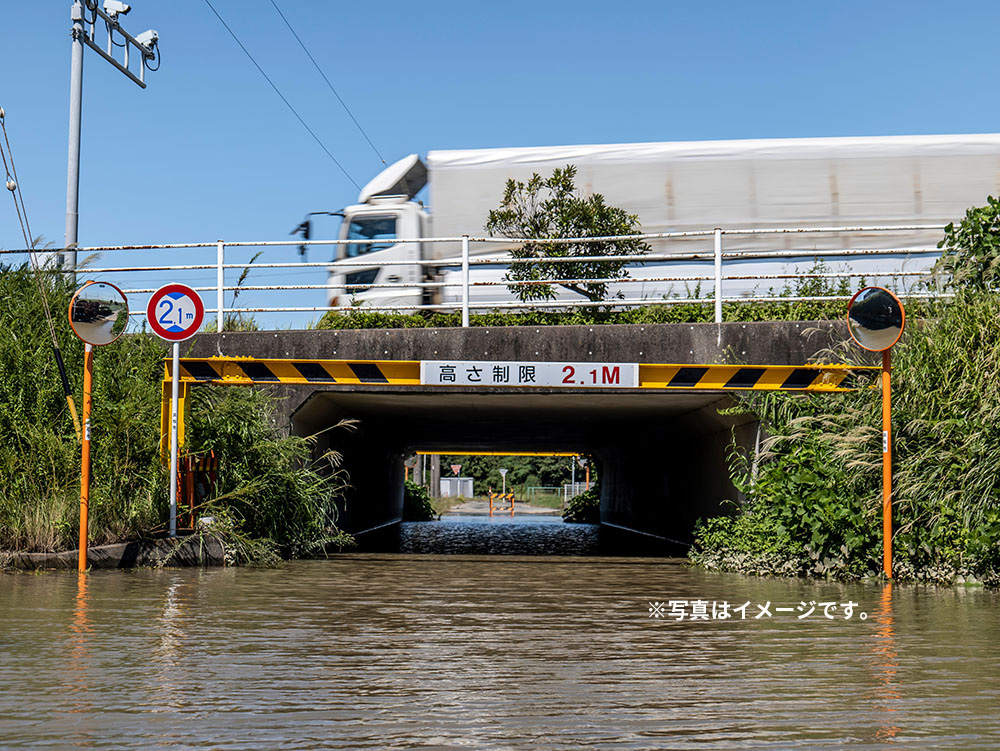 Takaoka City: Underpass flooding monitoring solution
Road Maintenance Division, Urban Development Department, Takaoka City; TAKAOKA CABLE NETWORK CO., LTD.; and SANGIKYO CORPORATION Enhanced Video Management SystemAG20
Takaoka City: Underpass flooding monitoring solution
Road Maintenance Division, Urban Development Department, Takaoka City; TAKAOKA CABLE NETWORK CO., LTD.; and SANGIKYO CORPORATION Enhanced Video Management SystemAG20
-
 Toshima City: Disaster preparedness and crisis management camera solution
Disaster Prevention Crisis Management Section, General Affairs Department, Toshima City Enhanced Video Management SystemAG20
Toshima City: Disaster preparedness and crisis management camera solution
Disaster Prevention Crisis Management Section, General Affairs Department, Toshima City Enhanced Video Management SystemAG20






Contact usProduct inquiries and documents
We can help you choose products and put together a package for your application. Consultations are free.