STEP 3 Registering credentials

If you complete setting up the device, register the credentials of Nx Witness to the Device Management System. This procedure is required for monitoring images captured from the cameras connected to Edge Gateway by using the Enhanced Video Management System.


  • If you are not using the Enhanced Video Management System or if you are using the AR series or AC10, you will not need to register the credentials to the Device Management System. Proceed to "Activating the device".
  • The "credentials" mentioned in this section refer to the Admin password for Nx Witness. By registering this, you will be able to monitor camera images by using the Enhanced Video Management System.


How to register the credentials


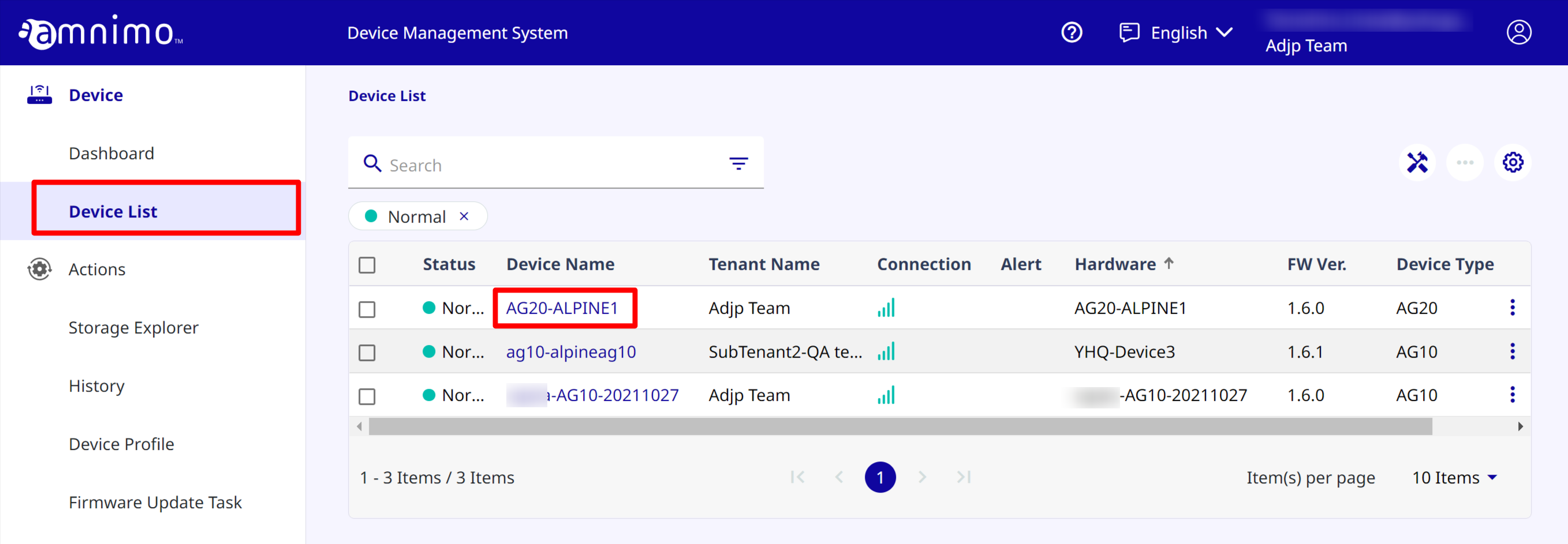
  1. Open Device List ], find the target device, and click it.

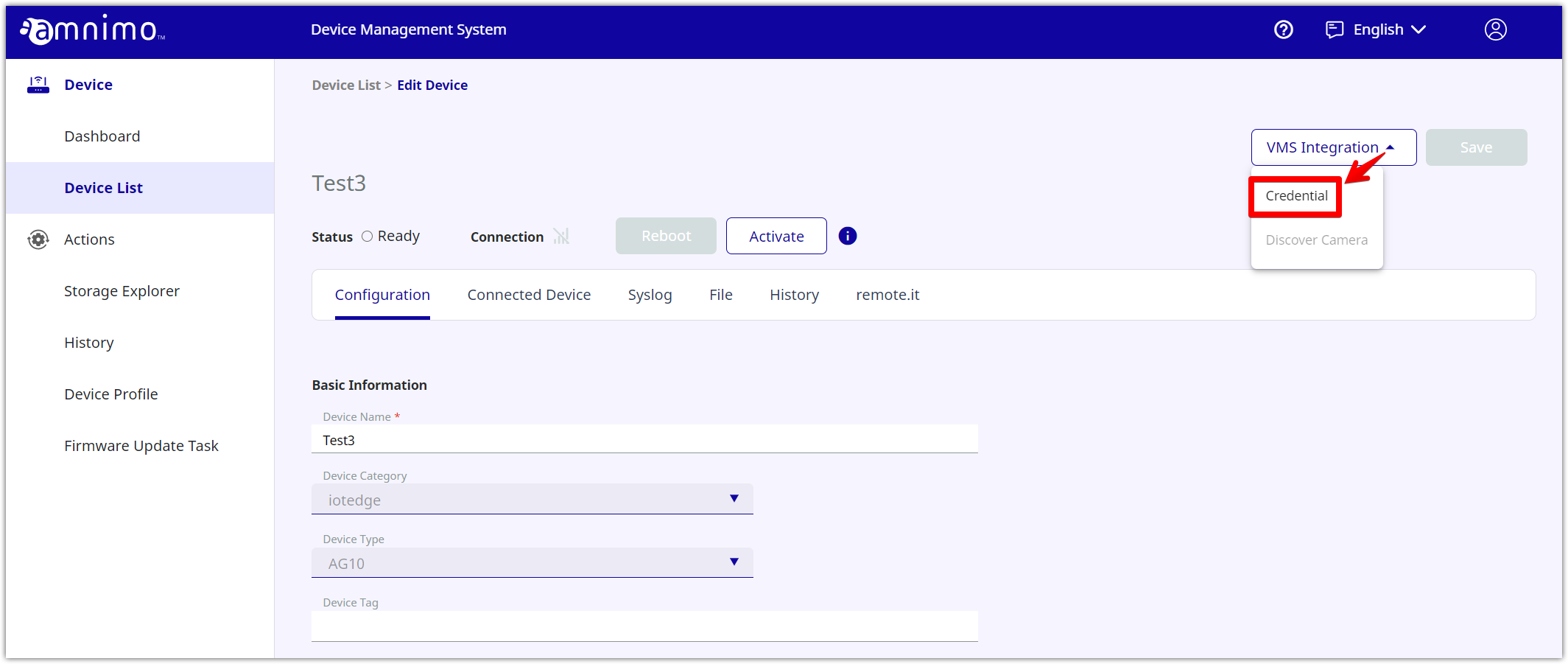
  2. Select [ Credential ] from the [ VMS Integration ] button.
     

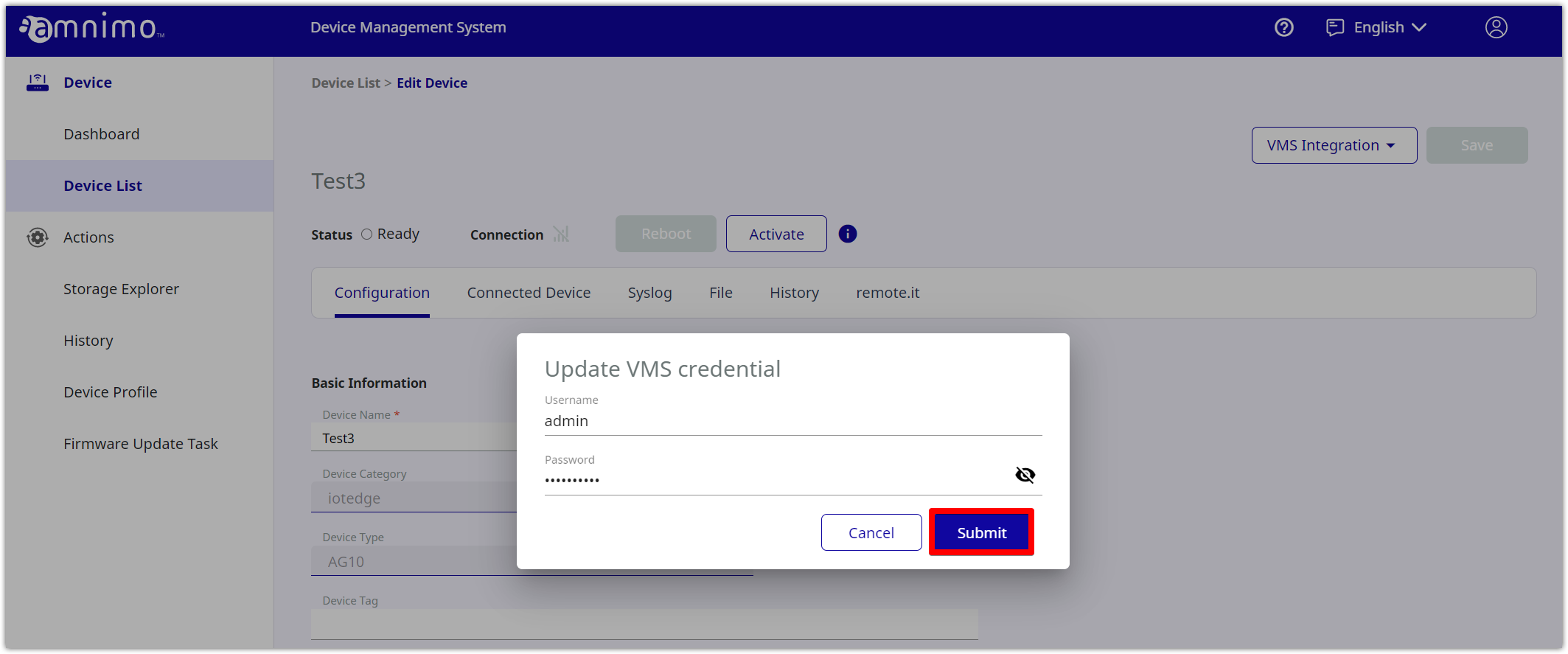
  3. If you enter the login information of the Admin user of Nx Witness and click [ Submit ], registering the credentials to the Device Management System will be completed.


References

  1. STEP 1 Set up the device
  2. STEP 2 Log in to the device management system
  3. STEP 4 Activation the device
  4. STEP 5 Detecting Cameras


ⓒ 2021- 2023 amnimo Inc.