
Showing all items.
| Cloud service specifications | ||||||
|---|---|---|---|---|---|---|
| Function | Description | Remarks | ||||
| Administration | User management | Role management | Manage user access rights. | There is no limit on the number of registered users. | ||
| Live playback duration (Cloud mode) | Set the maximum continuous playback time for live video in Cloud mode. Playback stops automatically when the time is up. | Configurable from 1 to 60 minutes in 1-minute steps. The same setting applies to all cameras registered to the tenant. | ||||
| Direct connection duration (Direct mode) | Set the maximum continuous connection time in Direct mode, which connects to the device peer to peer (P2P). The connection ends automatically when the time is up. | Configurable from 1 to 60 minutes in 1-minute steps. The same setting applies to all cameras registered to the tenant. | ||||
| Notification rules | Configure notifications to users. Users are notified by the specified method when the specified trigger occurs. | Events can be used as triggers, and email as the notification method. You can create up to 10 notification rules. Each tenant can send up to 2,000 emails per month. | ||||
| Camera details | Camera list | Camera search | ||||
| Tree view | Show cameras in a tree. There are three view modes: standard, by device, and list. | There is no limit on the number of devices or cameras you can connect. | ||||
| Report creation | Create reports with camera thumbnail images and snapshots attached. | |||||
| You can create a report from an event. | ||||||
| Camera settings | General settings | |||||
| Advanced settings | ||||||
| Camera status | ||||||
| Gateway settings | Operations (enable and more) | |||||
| Detailed view | ||||||
| Cloud mode | Thumbnail view | Shows thumbnail images uploaded to the Enhanced Video Management System. There are three view modes: single, 9-image grid, and list. | Thumbnail images from amnimo Portable are kept for 30 days. | |||
| Thumbnail slideshow | Play thumbnail images in sequence. You can change the playback speed. | |||||
| Timeline bar | Shows thumbnail update times, event times, and video clip capture times. | |||||
| Calendar view | Check on a calendar whether thumbnail images exist. | |||||
| Snapshot capture | Create a still image at a specified date and time from video uploaded to the cloud from an amnimo Portable device, and save it to the Enhanced Video Management System. | Each camera has its own storage area. When it is full, the oldest data is overwritten automatically. The default size is 1 GB. To expand it, contact amnimo. The storage area size is the same for all tenants under the tenant tree. | ||||
| Video clip capture | Cut out video for a specified period from video uploaded to the cloud from an amnimo Portable device, and save it to the Enhanced Video Management System. Each video clip can be up to 60 minutes long. | |||||
| Time-lapse creation | Create a time-lapse video from thumbnail images and save it to the Enhanced Video Management System. | |||||
| Live video playback | Watch live camera video via the cloud. Audio is also available. | Free for up to 30 hours per camera per month. If you need more playback time, contact amnimo. Video is delivered with the HLS (HTTP Live Streaming) standard. While a camera is playing live video in Direct mode, it cannot play video in Cloud mode. | ||||
| Recorded video playback | Watch recorded video uploaded to the cloud from an amnimo Portable device. Audio is also available. The time periods of uploaded recordings are shown on the timeline bar. | |||||
| Direct mode | Live video playback | Connect to the amnimo Portable device peer to peer (P2P) and watch real-time live video. Audio is also available. | Only one user at a time can connect P2P in Direct mode. There is no limit on viewing time. While a camera is playing live video in Cloud mode, it cannot play video in Direct mode. | |||
| Voice calls | Two-way voice calls between the Enhanced Video Management System and amnimo Portable devices. | |||||
| Map view | Web map view | Zoom | Place cameras on Google Maps and find cameras by location. | Functions that use GPS location data are not supported. | ||
| Aerial photo view | ||||||
| Default display location | ||||||
| Custom map view | List view / individual map view | Upload your own floor plans or maps, place cameras on them, and find cameras by location. List view and individual map views are also available. | ||||
| Event notification display | A flashing camera icon shows whether an event is in progress. | |||||
| Create, edit, and delete viewers | Create viewers that show video from several cameras side by side. You can set the layout, such as the camera order. | Including child tenants under the tenant tree, you can create up to 5 viewers if you have fewer than 100 cameras, or up to 10 viewers if you have 100 or more. | ||||
| Event display | Active events are shown at the top of the video wall. | |||||
| Live video playback | Play live video on the video wall. | As in Cloud mode, video is delivered with the HLS streaming standard. | ||||
| Video and images stored in the cloud | Search and sort | View captured snapshots, play video clips, and download them to a PC. | ||||
| Video playback | ||||||
| Play on the camera details page | ||||||
| Download | ||||||
| Events (option) | Event list | Statistics | View statistics and the list of SOS events sent with the amnimo Portable SOS notification function, and the event clip (video at the time of the event) for each event. | Up to 10,000 events can be shown per tenant. Events older than 90 days are deleted automatically. An event clip covers 10 seconds before and after the event time. | ||
| Search and filtering | ||||||
| Advanced search | ||||||
| Event clip view | ||||||
| Event status change | ||||||
| Comments | ||||||
| Report creation | ||||||
| Event notification pop-up | Event clip playback | When an event occurs, a pop-up opens automatically and plays the video from the time of the event together with the current live video. | ||||
| Buzzer | The browser sounds a buzzer when an event occurs. | |||||
| Custom map integration | See the location of the camera where an event occurred on a custom map. | |||||
| Event status change | ||||||
| Email notifications | Send an email when an event occurs. | Set the notification content under “Administration” > “Common settings” > “Notification rules” | ||||
| amnimo Portable management | amnimo Portable device list | Device list | View a list of the amnimo Portable devices under the tenant. | |||
| Recording history | Shows the recording history of captured video for each device. In addition to recording dates, times, and durations, you can see the recording status, such as uploaded or not uploaded. | |||||
| Recorded video upload | Upload recorded video stored on an amnimo Portable device to the cloud by specifying a time range. | |||||
| Recorded video deletion | Delete recorded video stored on an amnimo Portable device by specifying a time range. | |||||
| Users and usage (AB12 only) | User list | View the usage status of each name badge user in a list. | ||||
| Register, edit, and delete users | Register, edit, and delete name badge user information. | Up to 50 users can be registered per tenant. | ||||
| Recording history | Shows the recording history of captured video for each user. In addition to recording dates, times, and durations, you can see the recording status, such as uploaded or not uploaded. | |||||
| Recorded video upload | Upload recorded video stored on an amnimo Portable device to the cloud by specifying a time range. | |||||
| Recorded video deletion | Delete recorded video stored on an amnimo Portable device by specifying a time range. | |||||
| Name badge template management (AB12 only) | Name badge template list | Shows the list of name badge templates. | ||||
| Create, edit, and delete name badge templates | Create, edit, and delete name badge templates. | |||||
| Smartphone app | iOS | View the camera list, use Cloud mode (live playback, thumbnail view), and view snapshots and video clips. | Beta | |||
| Android | Beta | |||||
Specifications are subject to change without notice.
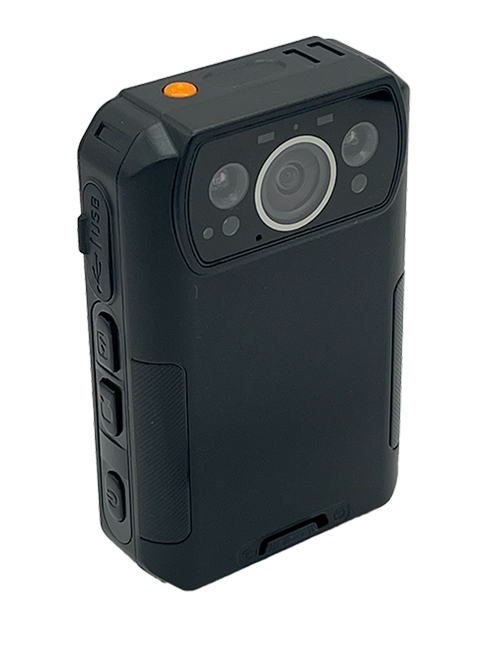
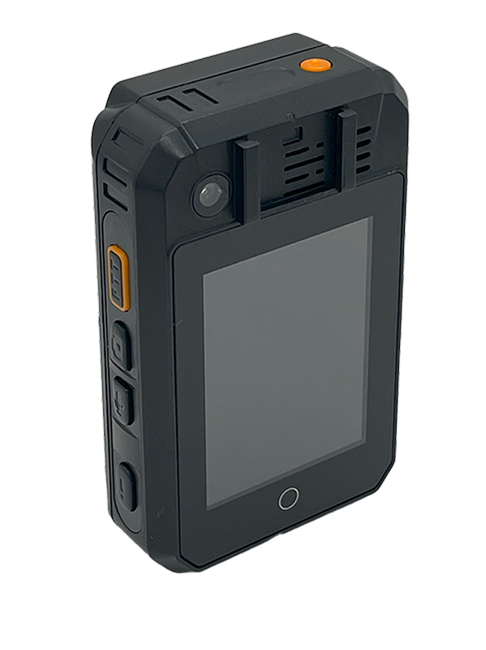
Product Images Product photos
Contact usProduct inquiries and documents
We can help you choose products and put together a package for your application. Consultations are free.