Why unlocked (SIM-free) LTE routers are drawing attention
The basics of SIMs and LTE routers, explained
Mar 23, 2023
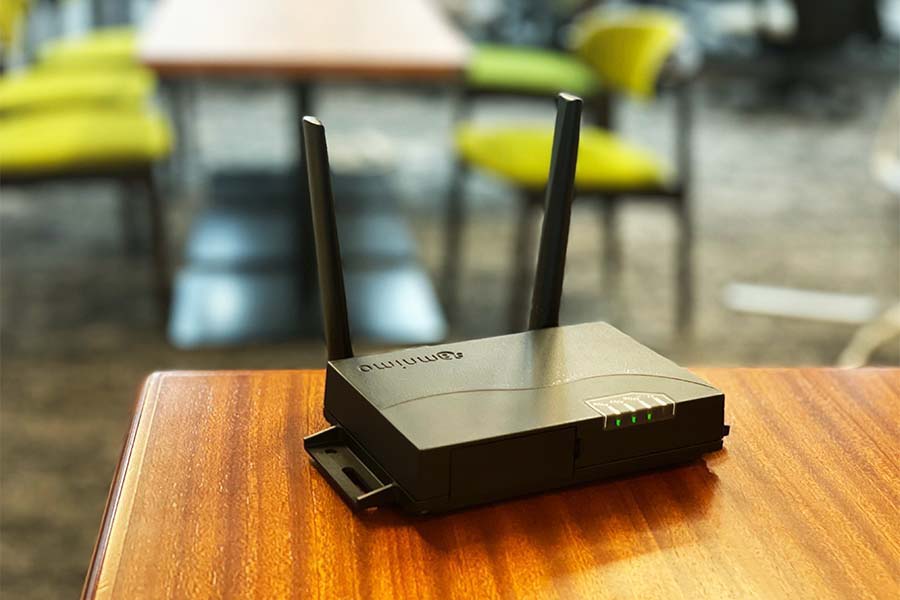
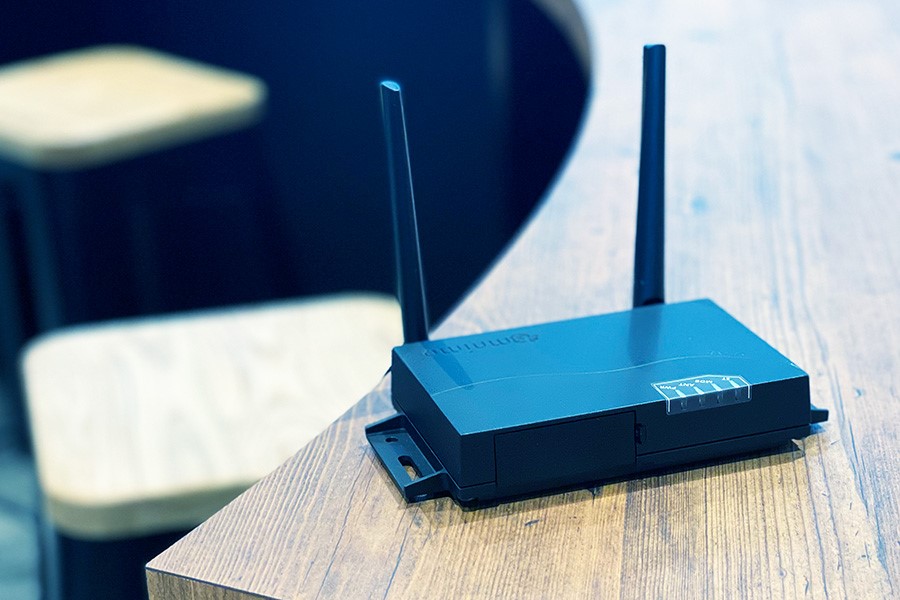
As IoT spreads, industrial LTE routers are drawing attention. LTE routers are essential for building networked IoT systems in places without a fixed line.
This article explains the functions of LTE routers and SIMs, why unlocked LTE routers are drawing attention, and what to look for when you choose a SIM.
What is a router?
A router is a network relay device that connects different networks: a WAN (wide area network) and a LAN (local area network). For example, when you use the internet at home or in the office, you may connect to a Wi-Fi* router. In this case, devices such as smartphones and PCs first connect wirelessly to the router. This means the smartphones and PCs are connected to the LAN. The router then uses a fixed line or mobile network to reach the WAN, that is, the internet, which connects to networks everywhere. As a result, the smartphones and PCs are connected to the internet and can display websites. To compare it with a telephone system, the LAN is the internal extension line, the WAN is the outside line, and the router is the telephone exchange. For now, remember that a router is a network relay device.
*Wi-Fi: A technology for accessing a LAN (local area network) wirelessly. Also called wireless LAN.
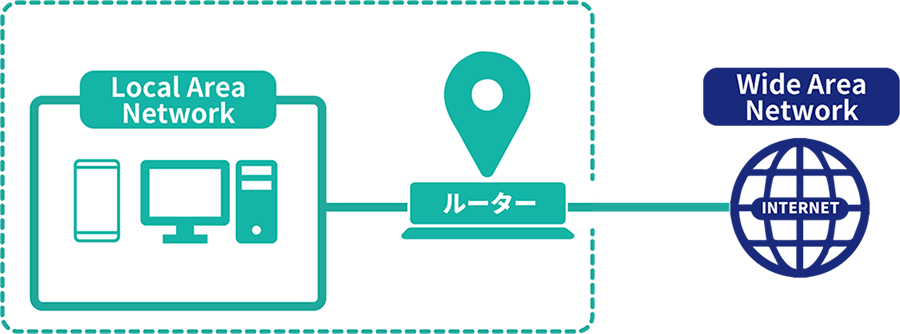
Network structure is also explained in detail in this article on LTE routers (Japanese).
Network structure: WAN, LAN, and the internet (Japanese)
What is LTE?
LTE is a type of mobile network. Mobile networks are also called cell phone networks. In Japan, the best known are the networks of the three major carriers: NTT DOCOMO, au, and SoftBank. Mobile networks let you use the internet in a wide range of places across Japan, not just in fixed locations as with fixed lines.
Besides LTE, mobile networks include other standards such as 3G and 5G. New standards have appeared as traffic and data volumes have grown. Here is an overview of the generations and types of mobile communication.
1G and 2G
Mobile phone services began in 1980, and the first standard, 1G, was born. Since then, a new standard has appeared about every 10 years. Mobile communication became truly practical from 3G onward.
3G
3G, introduced around 2000, was the first international standard. With 3G, a single mobile device could be used in many parts of the world, which was not possible with earlier generations. Speeds also improved greatly over earlier generations. In the 2000s, speed-up technologies brought speeds to 10 to 20 Mbps.
4G (LTE)
3G communication became even faster with LTE (Long Term Evolution), known as 3.9G. With LTE as an intermediate technology, the fourth generation, 4G, was born. To support more advanced mobile devices, the maximum download speed was raised to 1 Gbps. It replaced 3G and is the main standard today. LTE was once an intermediate technology for the move from 3G to 4G, but it is now treated as part of 4G, and you can think of it as almost the same as 4G.
5G
5G is the latest standard, announced in recent years. It is expected to be a very high-speed standard, with download speeds of up to 20 Gbps.
What is an LTE router?
An LTE router is a router that can use an LTE connection. Because it can use LTE, today’s main standard, it is widely used across many industries. It is especially essential in fields such as IoT.
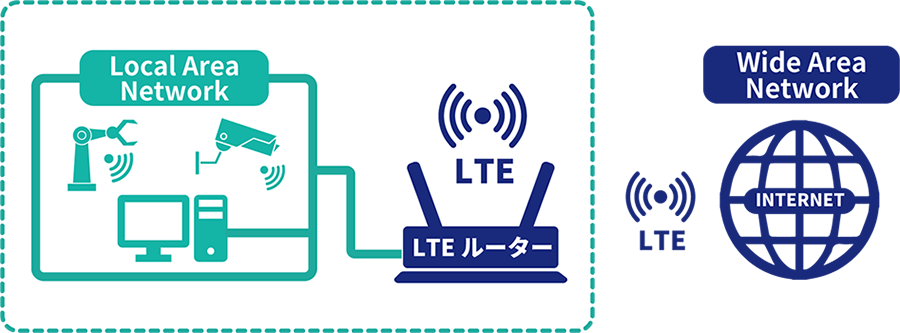
What LTE routers can do
LTE routers need no fixed line, so they are valued for making it relatively easy to build systems. For example, outdoor systems such as security camera systems and railroad crossing management systems often have no fixed line, and LTE routers are useful there. LTE routers also help in situations with a limited period of use, such as monitoring construction sites, where the cost of installing a fixed line is rarely worth it.
For details, see also this article on LTE routers (Japanese).
Uses of LTE routers (article: What is an LTE router?) (Japanese)
SIMs: essential for LTE routers
To communicate over LTE, you insert a purchased SIM card into the LTE router and complete the settings for communication. SIM stands for “Subscriber Identity Module.” It is also called a SIM card because it usually takes the form of a card. Inserting it into a device lets smartphones, tablets, LTE routers, and other devices with communication functions send data over a mobile network. The SIM stores information about the subscriber who has a contract with the carrier. The carrier uses this information to authenticate the connection and to bill for the data used.
There are several types of SIMs for mobile communication. The typical types in use today are described below.
Standard SIM
A standard SIM measures 15 mm × 25 mm. It was common in 3G devices but is rarely used now that 4G is common.
microSIM
A microSIM measures 12 mm × 15 mm, a size smaller than a standard SIM. It was common in mobile devices sold from 2012 to 2014.
nanoSIM
The nanoSIM, at 8.8 mm × 12.3 mm, is even smaller than the microSIM. It has been common in mobile devices since 2014 and is the most widely used SIM today.
eSIM
An eSIM is a SIM built into the device itself. You do not insert a physical card. When you change your contract, the information is rewritten remotely.
What to look for when choosing a SIM
Industrial LTE routers need stable communication. With that in mind, keep the following points in mind when you choose a SIM for an LTE router.
Choose a plan that fits your purpose
Typically, you pay a contract fee as an initial cost, plus a monthly fee. Each carrier offers various plans for different usage, and some offer plans suited to industrial use. Consider carefully whether you need a high-capacity plan or whether a small data allowance is enough, and choose the most cost-effective plan.
Choose a network with good speed and stability
LTE routers used in IoT systems in particular collect information from edge devices and send it to the cloud over a mobile network. In many cases, the cloud system also sends control commands. Slow communication often causes problems in operation, so fast upload and download speeds are needed. A stable connection is also important when the system is meant to stay connected at all times or must work during emergencies. We therefore recommend choosing a network with good speed and stability.
Prepare SIMs from multiple carriers
Many LTE routers can hold and use multiple SIMs. With this type of router, we recommend preparing SIMs from different carriers. Communication over a SIM can stop because of unexpected failures, and carriers also carry out maintenance fairly often. With multiple SIMs, if one SIM becomes unusable for these reasons, the router can automatically switch to another SIM. This keeps the router connected at all times.
Why people choose unlocked LTE routers
An unlocked (SIM-free) LTE router is one that is not locked to a specific carrier’s SIMs. Each carrier provides its own SIMs, but some LTE routers accept only SIM cards from certain carriers. When you choose a SIM or LTE router, check whether the router is unlocked.
Unlocked routers have the following advantages.
Use the SIM that suits your application
Many carriers sell SIMs of various types and plans. As long as you use the LTE router, the SIM keeps running and keeps generating charges, so it is very important. You need to choose a SIM that fits your application. To widen your choice of SIMs, it is a good idea to choose an unlocked LTE router.
Change the SIM later
While you operate an LTE router, you may later change its location or purpose. In such cases, it is a good idea to change the SIM to suit the new use. Especially when you install the router where reception is poor, you may not be able to connect to the internet unless you change carriers. Over long-term use, the best SIM may also change as technology advances and pricing is revised. An unlocked LTE router lets you switch to the most suitable carrier’s SIM.
Lower risk of network outages
With an LTE router that accepts SIM cards from multiple carriers, you can use SIM cards from different carriers to reduce the risk of network outages and make your mobile connection redundant.
Summary
This article covered the basics of LTE routers and SIMs and explained why people choose unlocked LTE routers. Compare the various types of SIMs and LTE routers so that you can run your system comfortably and reliably.
amnimo’s unlocked LTE routers
amnimo sells unlocked LTE routers. Besides communication functions, our lineup includes models with a Linux OS, devices with built-in storage for large amounts of data such as video, models with PoE (Japanese) ports, and outdoor models, as well as related applications. Our products are designed and manufactured in Japan, so you can rely on our warranty and support. If you are interested, contact us below.
Contact usProduct inquiries and documents
We can help you choose products and put together a package for your application. Consultations are free.