Why does data on SD cards get corrupted, and how can you prevent it?
Mar 23, 2023

SD cards are storage media used in many devices, for example to store photos from smartphones and digital cameras or to record video from dashcams and security cameras. However, depending on how you use an SD card, the risk that stored data will be corrupted can be high. Data recovery services or recovery software can sometimes help, but in most cases data is hard to recover once it is corrupted.
This article explains why SD cards fail, starting from how data is stored on them, and describes measures to keep your data safe for longer.
Why do SD cards fail?
SD cards store data for many devices, such as smartphones and dashcams. But did you know that SD cards are storage media on which data is relatively easily corrupted? SD cards have a limit on the number of times data can be written. Once that limit is exceeded, the stored information can no longer be read. The biggest cause of data corruption on SD cards is that users do not know about this write limit and reach it without noticing.
Apart from the write limit, physical deterioration over time can also corrupt data and make it impossible to display.
Many security cameras have stopped recording
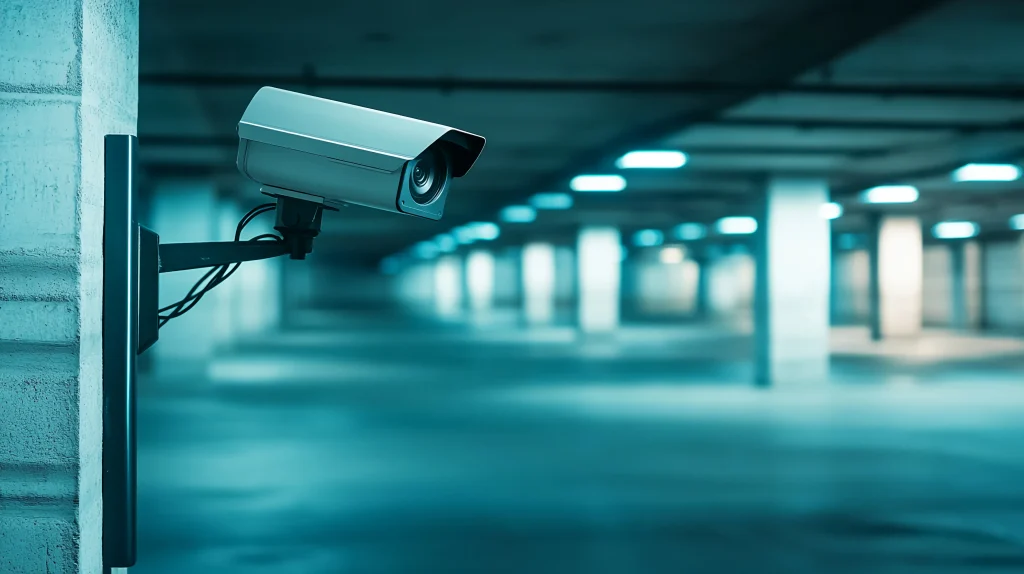
For many security cameras installed on utility poles and building walls, recording that stops because the SD card has reached the end of its life (its write limit) is a serious problem.
Replacing SD cards in cameras installed high up takes a lot of effort and money, such as arranging an aerial work platform, so maintenance is often not done at the right time. As a result, there are many cases where an incident or accident occurs and, when someone tries to check the video, it turns out that nothing was recorded.
Missing evidence directly delays resolution, so cameras left in place with recording stopped have become a social issue.
Why is there a write limit?
We explained that SD cards fail because they have a write limit. But why do SD cards have a write limit? The reason lies in how data is stored on the card.
How SD cards work
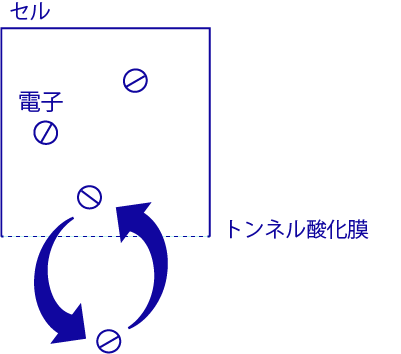
Memory devices such as SD cards are made up of a large number of tiny memory cells. They record data through changes in the physical state of each cell. For example, in the SLC (single-level cell) method, the presence or absence of electrons in each cell corresponds to 0 or 1. So each cell can record one bit of data.
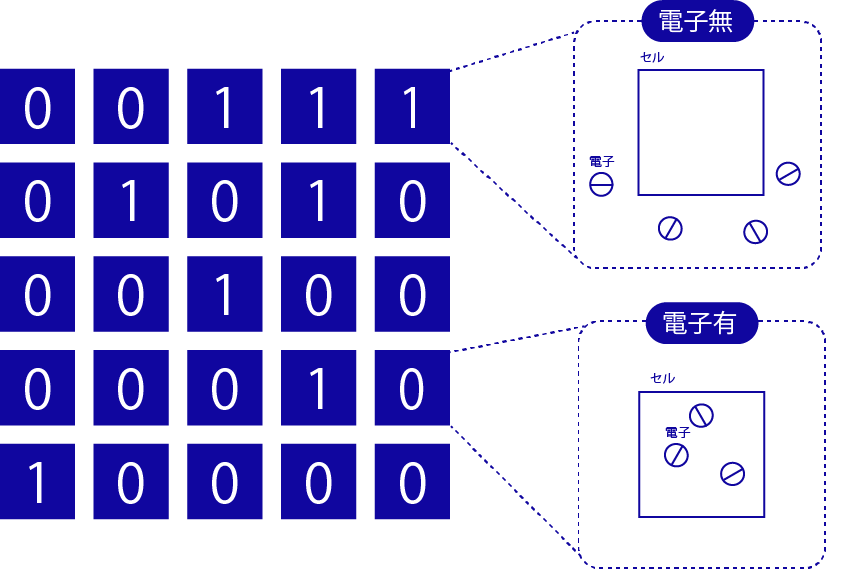
Data is written by moving electrons into and out of a chamber inside the cell. As writes repeat, the film that electrons pass through gradually deteriorates, and electrons start to leak out little by little. Eventually the cell can no longer hold electrons in the chamber, and it reaches the end of its life. Because of this deterioration of the film, there is a limit on the number of writes.
SLC (single-level cell) and MLC (multi-level cell)
So how many times can you write to an SD card without corrupting data? It depends on how the card stores data. In the SLC (single-level cell) method mentioned above, the card reads 0 or 1 by checking whether there are electrons in a cell. In the MLC (multi-level cell) method, instead of linking the presence or absence of electrons to 0 and 1, the card changes the amount of electrons in steps, so one cell can record multiple bits of data.
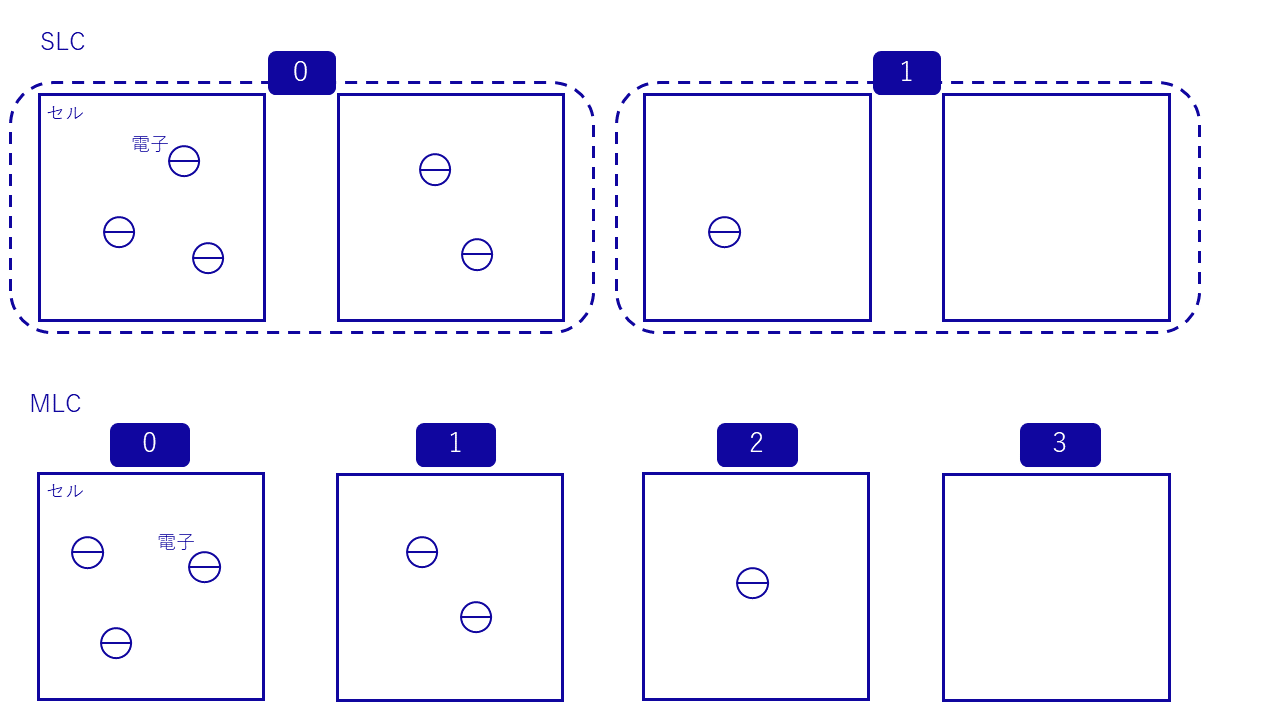
This difference affects the write limit. MLC reads data based on small differences in the amount of electrons, so even a slight error in the amount caused by deterioration prevents correct reading. SLC only needs to tell whether electrons are present or not, so a rough reading is enough even if deterioration causes some error. For this reason, SLC has a much higher write limit than MLC and is more durable.
| Write limit | Price | |
| SLC (Single Level Cell) | 50,000 writes | High |
| MLC (Multi Level Cell) | 3,000 writes | Medium |
| TLC (Triple Level Cell) | 1,000 writes | Low |
You might think you should simply choose an SLC SD card. However, SLC is used for industrial applications, while MLC and TLC, which divides the amount of electrons into even finer levels than MLC, are common for general use. This is because SLC tends to be expensive. SLC stores only one bit per cell, while MLC stores multiple bits per cell. To store the same amount of data, SLC needs many more cells, so it inevitably costs more.
Take care with dashcams and security cameras
We explained that the write limit affects data corruption on SD cards. In what situations, specifically, should you watch out for the write limit?
The number of writes means the number of times data is saved to or overwritten on the SD card. Still images and similar data are usually not very large, and you rarely overwrite new photo data many times a day.
However, you need to be careful with SD cards built into devices that record video continuously, such as dashcams and security cameras. These devices record video all the time, but keeping all the data is not practical. They use SD cards with enough capacity for, say, about the most recent week of data. In this case, the card fills up quickly, so new video is constantly written over old data.
When an SD card is used this way, the number of writes becomes very large, and the card quickly reaches its write limit. Moreover, dashcam and surveillance camera data is rarely viewed, so card failures often go unnoticed. You may only discover that the SD card has failed when an incident or accident occurs and you want to see the video from that time. SD cards are relatively inexpensive and are very widely used in dashcams and surveillance cameras, so extra care is needed.
Also be careful when SD cards are used in servers or other equipment that logs data continuously, as the number of overwrites becomes very large.
How to store data on SD cards safely
So how can you prevent data corruption on SD cards? Here are some measures to store data as safely as possible.
Minimize the number of writes
Minimizing the number of writes lets you use an SD card for longer. For example, when you edit a file on an SD card with a PC, do not edit it in the SD card folder. Move the file to the PC’s storage, edit it there, and then copy it back to the SD card. This minimizes the number of writes to the card.
Check your data regularly
SD cards deteriorate even if you do not write to or delete from them for a long time, and the risk rises further when data is overwritten often. Keep in mind that data on an SD card can be corrupted at any time. Regularly check that the data can be read, and back up important data. You may also see signs of failure before the card breaks completely, such as reads taking unusually long or some data being corrupted. If so, move the data to another medium right away.
Avoid concentrating writes on specific cells
When you use an SD card for a long time and repeatedly write and erase data, you can slow down memory deterioration by making sure writes and erases are not concentrated on specific cells. For example, if you leave a file that is large relative to the card’s capacity in place and keep writing and erasing only in the remaining space, that space reaches its limit early. Avoiding this kind of use helps prevent problems.
Use high-endurance SD cards
Some SD cards on the market are labeled “High Endurance” and are designed for uses such as dashcams. They achieve high endurance by using SLC, described above, or by spreading write positions evenly across the card’s memory so that writes are not concentrated in specific locations. Using these high-endurance SD cards extends the period you can keep using them.
Use a different storage medium
SD cards are inexpensive and compact, but they have a relatively low write limit, so they deteriorate easily. If you write data often, or if you need to store data reliably for a long time, we recommend an SSD or HDD (hard disk drive).
| Write endurance | Price | Shock resistance | Size | Read speed | Capacity | |
| SSD | Good | Poor | Excellent | Good | Excellent | Excellent |
| HDD | Excellent | Good | Poor | Poor | Poor | Excellent |
| SD card | Poor | Good | Fair | Good | Fair | Poor |
For example, an SD card is fine for storing photos from a digital camera or smartphone, since the number of writes stays low. For security cameras and dashcams, on the other hand, it is better to use an SSD, which can handle more writes. Note, however, that many cameras are designed to store data on SD cards.
An HDD has the advantage of large capacity at a relatively low price. However, it is not shock-resistant, so it is best used indoors in a stable environment, for example to store PC data at home.
Summary
This article explained, based on how SD cards store data, that the write limit is behind many SD card failures. SD cards are small, inexpensive, and very convenient, but they fail easily. Use the measures in this article to store your data reliably.
amnimo edge gateways
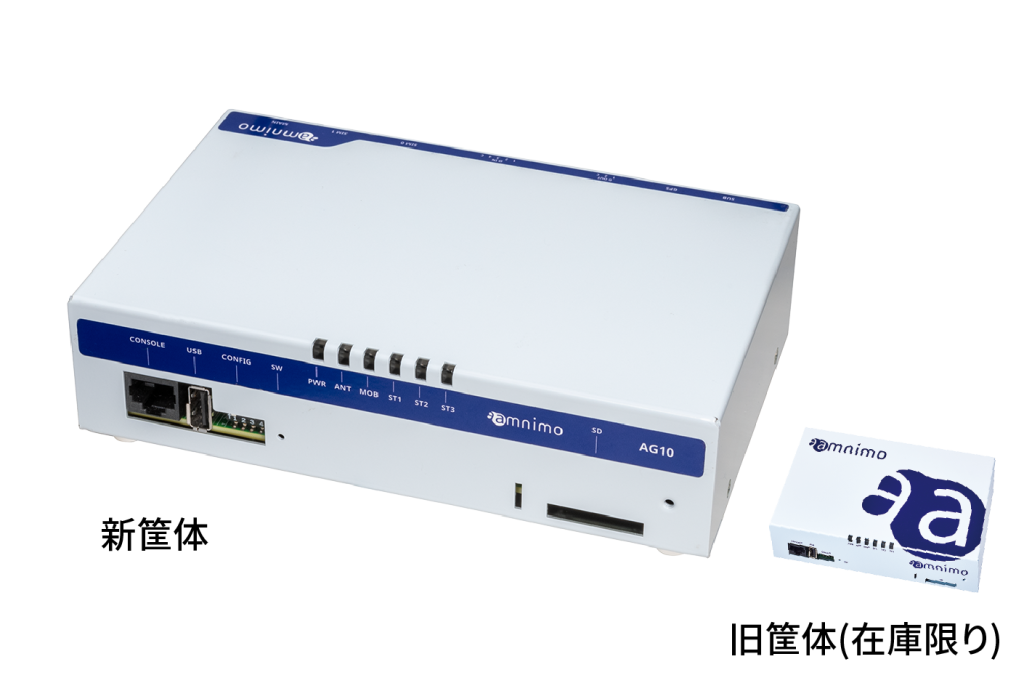
amnimo sells edge gateways that can be used as recorders and network devices for security cameras.
SSD instead of SD cards
The SD cards used in many security cameras are not well suited to continuous recording. amnimo edge gateways store video on an SSD so that data is kept reliably.
Check remotely that data is being saved
amnimo edge gateways can work as network devices, so you can connect them to the internet over a mobile network or other connection and easily view data from remote locations. They also continuously monitor whether the device is still running. When they detect a problem, such as recording stopping unexpectedly, they recover automatically and notify the administrator. This prevents unexpected situations such as finding out too late that recorded data has been lost.
Edge gateways with SSD storage: product details (Japanese)
Recommended products
Contact usProduct inquiries and documents
We can help you choose products and put together a package for your application. Consultations are free.