What is a VPN router?
Mar 23, 2023
Network management and security are becoming more and more important, and internet VPNs are drawing attention as a convenient, secure network for businesses. You need a dedicated router to build an internet VPN. This article explains the role of the router in a VPN connection, how VPNs work, and the types of protocols used for VPNs.
What is a VPN router?
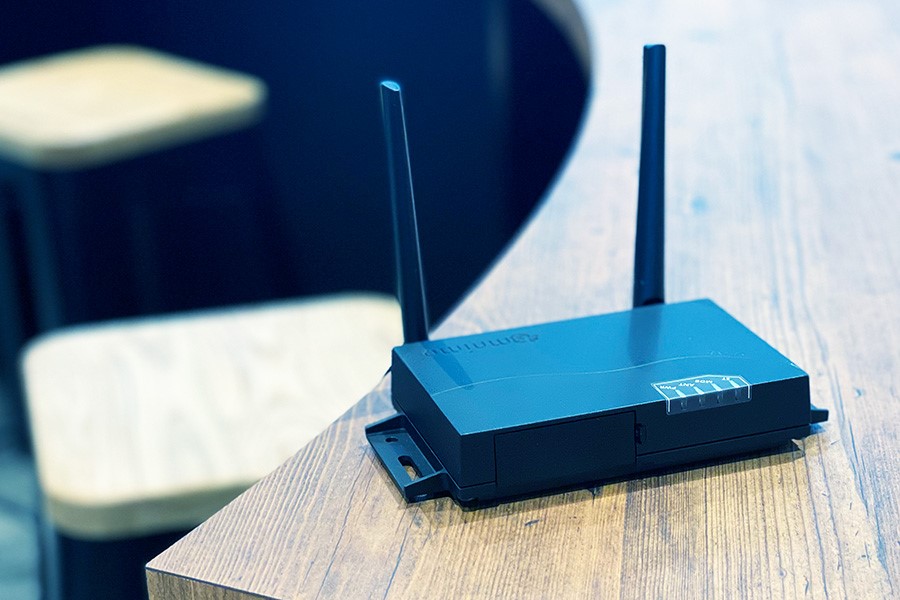
A VPN router is a type of network device: a router with VPN functions. It is essential for building a VPN, a secure private network that only specific people can use and that prevents information leaks, and an internet VPN in particular.
What is a VPN?
VPN stands for “virtual private network.” It works like a dedicated line, so only specific people and devices can access it, and you can build a secure network. However, as the word “virtual” suggests, it is not a one-to-one connection that occupies the line completely, like a leased line. It builds a “virtual” dedicated line. “Virtual” means that the transmission path (the data line) is shared with other users, but the protocol makes the network behave in software as if it were a private network.
The networks used to build VPNs include internet VPN, IP-VPN, and wide area Ethernet. Of these, the internet VPN is the one that needs a router.
For more about VPNs, including the types of networks they use, see the following article.
What is a VPN? The basics explained (Japanese)
The role of a VPN router
A VPN connection consists of three elements: tunneling, encryption, and authentication. Tunneling creates a virtual tunnel between the sender and the receiver to reduce the risk of information leaking outside. It does this by encapsulation, which wraps the packet to be sent inside a new packet. Encryption then prevents outsiders from viewing or tampering with the data. Authentication lets the sender and receiver confirm that each is the right party to communicate with, and watches for intrusion by third parties.
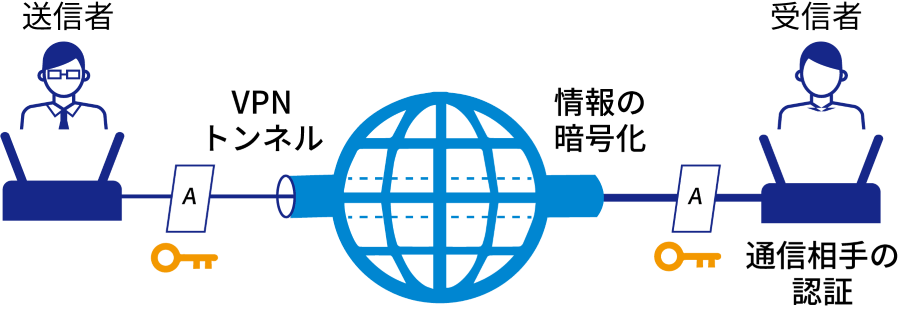
A VPN router generally handles these three processes, so you need to install a router to build a VPN.
There are also several protocols for building VPNs. When you choose a router, check which protocols it supports and choose a suitable one.
How to set up the router
Here is a short explanation of how to set up a VPN router.
First, decide which protocol to use for the VPN and choose a router that supports it. The types of protocols are explained below. Understand their advantages and disadvantages before you choose. The router handles tunneling, encryption, and authentication, so use a router that matches your protocol.
Next, set up the users who can connect to the VPN. You need to provide user names and passwords for the people who will access it. For security, matrix authentication and two-factor authentication are also often used.
Finally, check the connection. The client, such as a PC, may need dedicated software, so download it and connect.
The exact setup steps depend on the router, so see the product website or help pages for details. If you use amnimo products and services, see the help pages below.
- Example IPsec configuration between Edge Gateways (Japanese)
- Example IPsec configuration between an Edge Gateway and a Cisco router (Japanese)
Protocols supported by VPN routers
For networks to connect and communicate, there are protocols (rules) for communication and layers, described by models such as TCP/IP and the OSI reference model. A VPN connection uses various protocols and mechanisms to carry out tunneling, encryption, and authentication on each layer. Because there are many protocols, combinations, and mechanisms, there are many ways to build a VPN.
How you build a VPN depends on which protocol you use and which layer you protect. This article introduces four typical protocols and methods.
Routers differ in the protocols and connection methods they support. When you choose a VPN router, first decide which protocol to use for the internet VPN, and then choose a router that supports it.
Four VPN protocols covered in this article
- IPsec-VPN
- SSL-VPN
- L2TP/IPsec
- PPTP
IPsec-VPN
IPsec stands for “Security Architecture for Internet Protocol” or “Internet Protocol Security.” It is a security architecture for communication over the Internet Protocol. It uses various protocols to prevent information leaks and tampering. Because the traffic is encrypted, no one can read it even if it is intercepted.
IPsec encrypts at the network layer (Layer 3) of the OSI reference model. Even if the upper layers, such as the transport layer and application layer, do not support encryption, the lower network layer does, so communication is more secure. On the other hand, note that IPsec has the drawback of not working well with firewalls.
IPv6, which is gradually spreading, includes IPsec as standard. However, most networks still use IPv4, where IPsec is often optional rather than standard.
OSI reference model
| Name | |
|---|---|
| Layer 7 | Application layer |
| Layer 6 | Presentation layer |
| Layer 5 | Session layer |
| Layer 4 | Transport layer |
| Layer 3 | Network layer |
| Layer 2 | Data link layer |
| Layer 1 | Physical layer |
The following article explains in detail how IPsec works and how to connect.
What is IPsec? How it works and how to connect, explained (Japanese)
SSL-VPN
The next VPN method is SSL-VPN. SSL-VPN uses SSL technology for encryption. SSL stands for “Secure Sockets Layer,” a protocol widely used on websites and elsewhere, especially when credit card information or personal information is exchanged.
SSL-VPN uses SSL encrypted communication, an encryption and authentication mechanism at the session layer (Layer 5) of TCP/IP and the OSI reference model. Because it encrypts at a higher layer than IPsec, it is somewhat less secure. However, it is good for remote access and low in cost, so it is widely used for access from outside the office and for remote work.
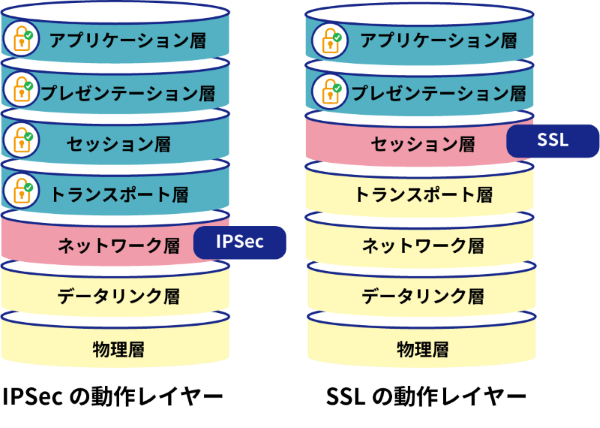
IPsec also requires VPN software on the client PC, while SSL needs no special software and works with just a web browser. This convenience is one reason people choose SSL-VPN. In addition, unlike IPsec (transport mode), the header is not encrypted, so firewalls can be applied flexibly.
On the other hand, some applications are more likely not to work with SSL-VPN than with IPsec. This is because IPsec runs at the lower network layer, while SSL runs at the higher session layer.
The table below summarizes the characteristics of IPsec and SSL-VPN.
| IPsec | SSL-VPN | |
|---|---|---|
| Layer | Network layer (Layer 3) | Session layer (Layer 5) |
| Cost | High | Low |
| Convenience | Low | High |
| Security | High | Low |
L2TP/IPsec
L2TP/IPsec is a VPN method that combines L2TP and IPsec.
L2TP stands for Layer 2 Tunneling Protocol. It is a protocol for tunneling, which builds a virtual tunnel between the sender and the receiver at the data link layer (Layer 2). It makes VPN connections by establishing PPP (Point-to-Point Protocol) connections. Specifically, the sender encapsulates PPP frames and the receiver decapsulates them to deliver the data. L2TP has no encryption of its own, so it is often used with IPsec, described above, for security and is often written as “L2TP/IPsec.”
One advantage of L2TP is that a single VPN tunnel can carry multiple user sessions. Another is that it supports many protocols. L2TP can use protocols such as UDP/IP, ATM, and Frame Relay (FR).
On the other hand, using it with IPsec adds processing time, so communication is relatively slow.
There is a newer version of L2TP, L2TPv3, which differs from the previous version, L2TPv2. Make sure you know which one you are using.
PPTP
PPTP stands for “Point-to-Point Tunneling Protocol.” Like L2TP, it is a tunneling protocol that builds a virtual path from a device on an IP network to another device at any address to send and receive data. It was developed as an extension of PPP (Point-to-Point Protocol), a data link layer (Layer 2) protocol. Specifically, it encapsulates PPP frames with GRE (Generic Routing Encapsulation) so that they can pass through an IP network, and builds a tunnel to the destination. PPTP itself has no authentication or encryption, but it improves security by authenticating with MS-CHAP (Microsoft Challenge-Handshake Authentication Protocol) and encrypting with MPPE (Microsoft Point-to-Point Encryption).
PPTP is often compared with L2TP/IPsec. One difference is the order of authentication. PPTP authenticates before encryption, while L2TP/IPsec authenticates inside an encrypted tunnel. For this reason, L2TP/IPsec is generally considered more secure. However, PPTP is supported by Windows, so it works well with Windows and lets you build a VPN easily. Its convenience is an advantage.
Both PPTP and L2TP process data at the data link layer (Layer 2), so they are sometimes grouped together as L2VPN (Layer 2 Virtual Private Network).
Summary
As this shows, there are many kinds of VPN connections, depending on the protocol and layer. You need to choose the method based on your existing network and how you will use the VPN.
OSI reference model and VPN methods
| Layer 5: Session layer | SSL-VPN |
| Layer 3: Network layer | IPsec |
| Layer 2: Data link layer | L2VPN (PPTP, L2TP*) |
*With L2TP, encryption is often done with IPsec, which works at Layer 3.
The router you need depends on the protocol you use, so choose your router carefully.
VPNs between sites and VPNs for mobile devices
We explained that the router you need for an internet VPN depends on the protocol. The functions you need also depend on how you use the internet VPN. Here we look at two scenarios: a VPN that connects sites, and a VPN accessed from mobile devices.
Internet VPNs that connect sites
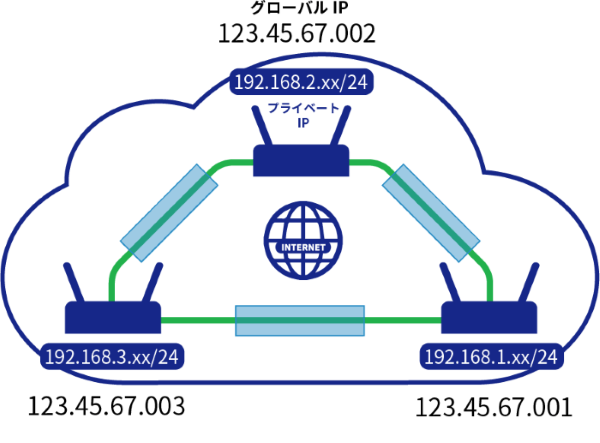
An internet VPN that connects sites usually assigns a static global IP address to each site, such as the head office and branch offices, and then connects the sites over private IP addresses through the VPN. The VPN tunnel is built between the static global IP addresses. With IPsec, this is called Main Mode.
VPNs accessed from mobile devices
There are also VPNs accessed from mobile devices, that is, VPNs that access a private network from places without a fixed IP address. For example, employees working remotely connect to the company intranet over the internet from home, where the IP address is not fixed. This type is also used to connect IoT devices in remote locations to the company network. With IPsec, this is called Aggressive Mode.

The following article also explains IPsec Main Mode and Aggressive Mode.
Aggressive Mode in IPsec (Japanese)
Summary
This article explained the role of VPN routers and why choosing the right one matters, covering how VPNs work and the protocols used to build them. Understand the characteristics of VPNs and choose a suitable VPN router.
LTE routers with IPsec support
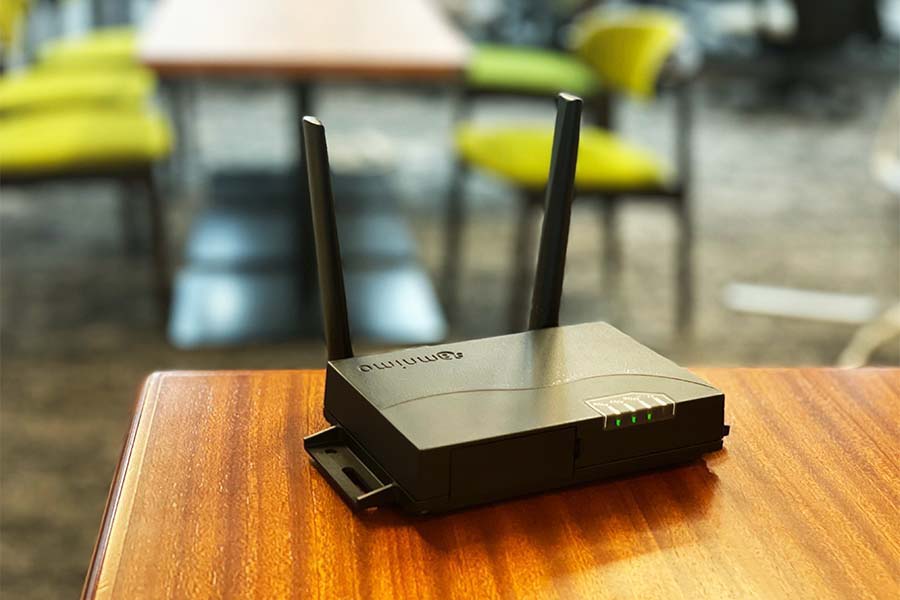
amnimo sells LTE routers that support IPsec, which lets you build highly secure VPNs. These compact LTE routers are highly reliable, with dual firmware, redundant communication lines, and protection against momentary power interruptions. They are well suited to building VPNs that need high stability. If you are planning a VPN with IPsec, contact us.
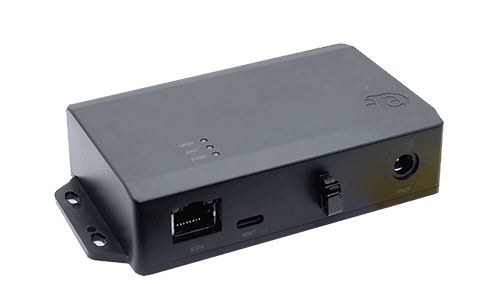
Compact Router with IPsec support: product details (Japanese)
Recommended products
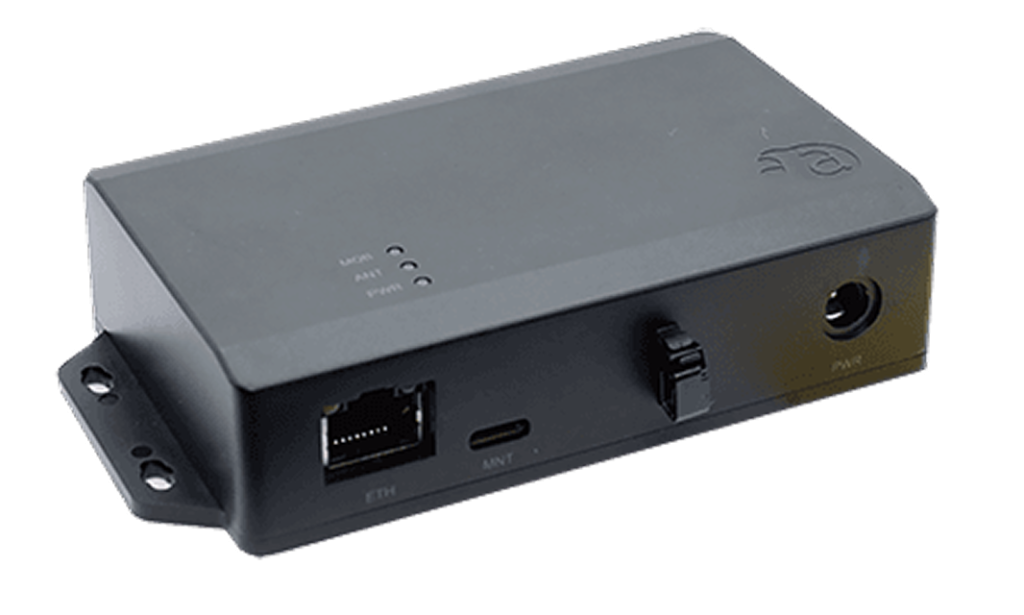
*IPsec support is planned for the next version update.
*Other amnimo gateway series products (Japanese) also support IPsec.
For how to set up IPsec connections on our gateways and routers, see the following articles.
Contact usProduct inquiries and documents
We can help you choose products and put together a package for your application. Consultations are free.