Dashboard
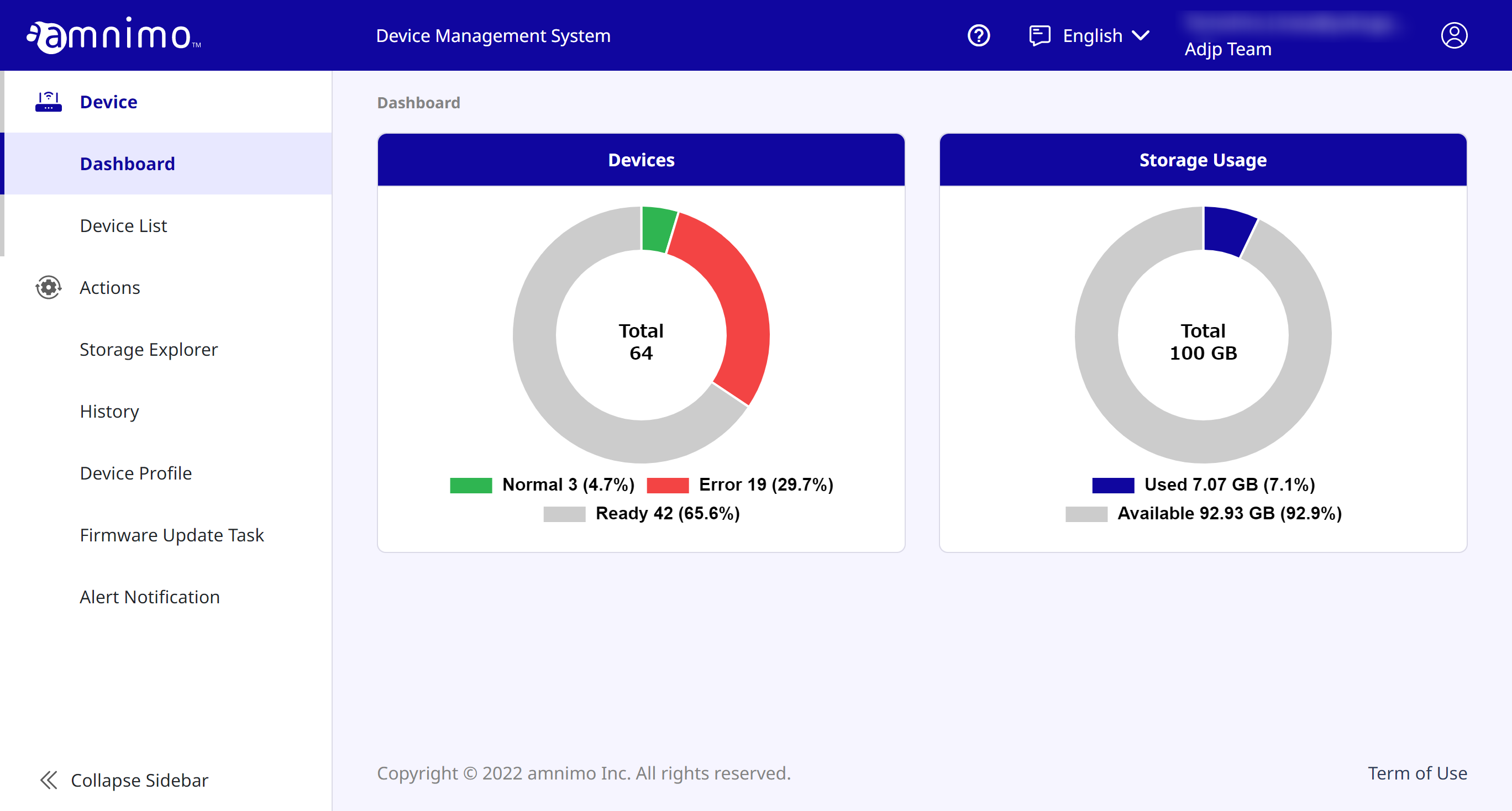
When you log into the device management system, the first thing that will opens is the [ Dashboard ] .
Here you can view device status and storage usage.
< [ Dashboard ] screen >
Devices
You can check the status of your devices. The following shows the status:
 Normal : Displays the number of devices that have been activated and are during communication.
 Ready : Displays the number of devices that have not been activated. Perform activation for them.
 Error : Displays the number of devices that have been activated but are experiencing errors.
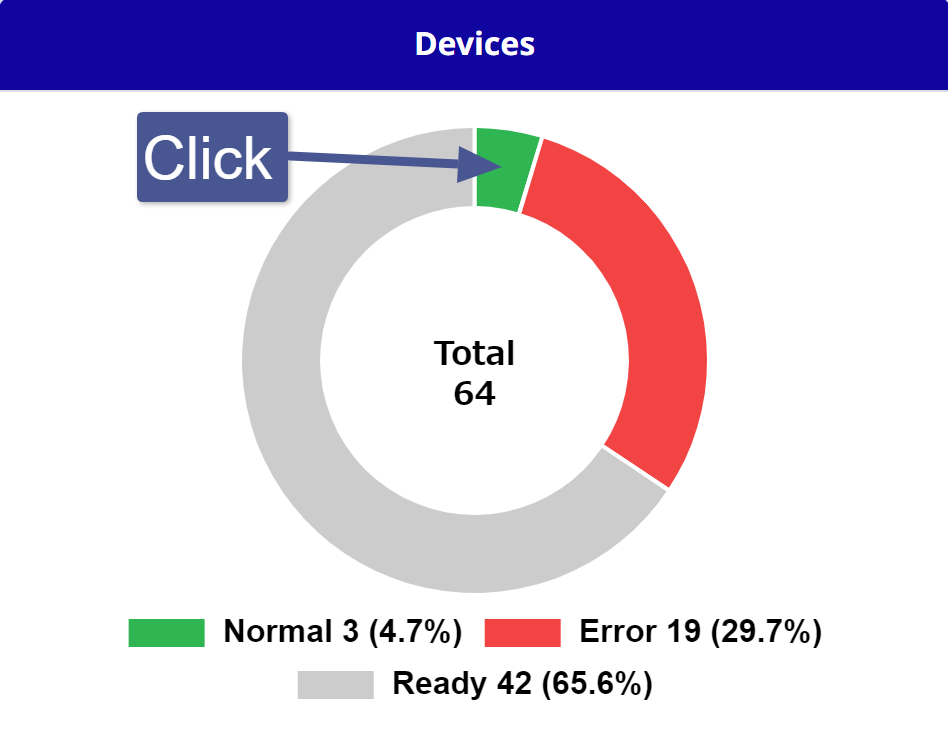
Clicking on each status (Normal, Error, Preparing) on the graph will display a list narrowed down by the selected status.
| Click on the display on the pie chart |
|

 .
.
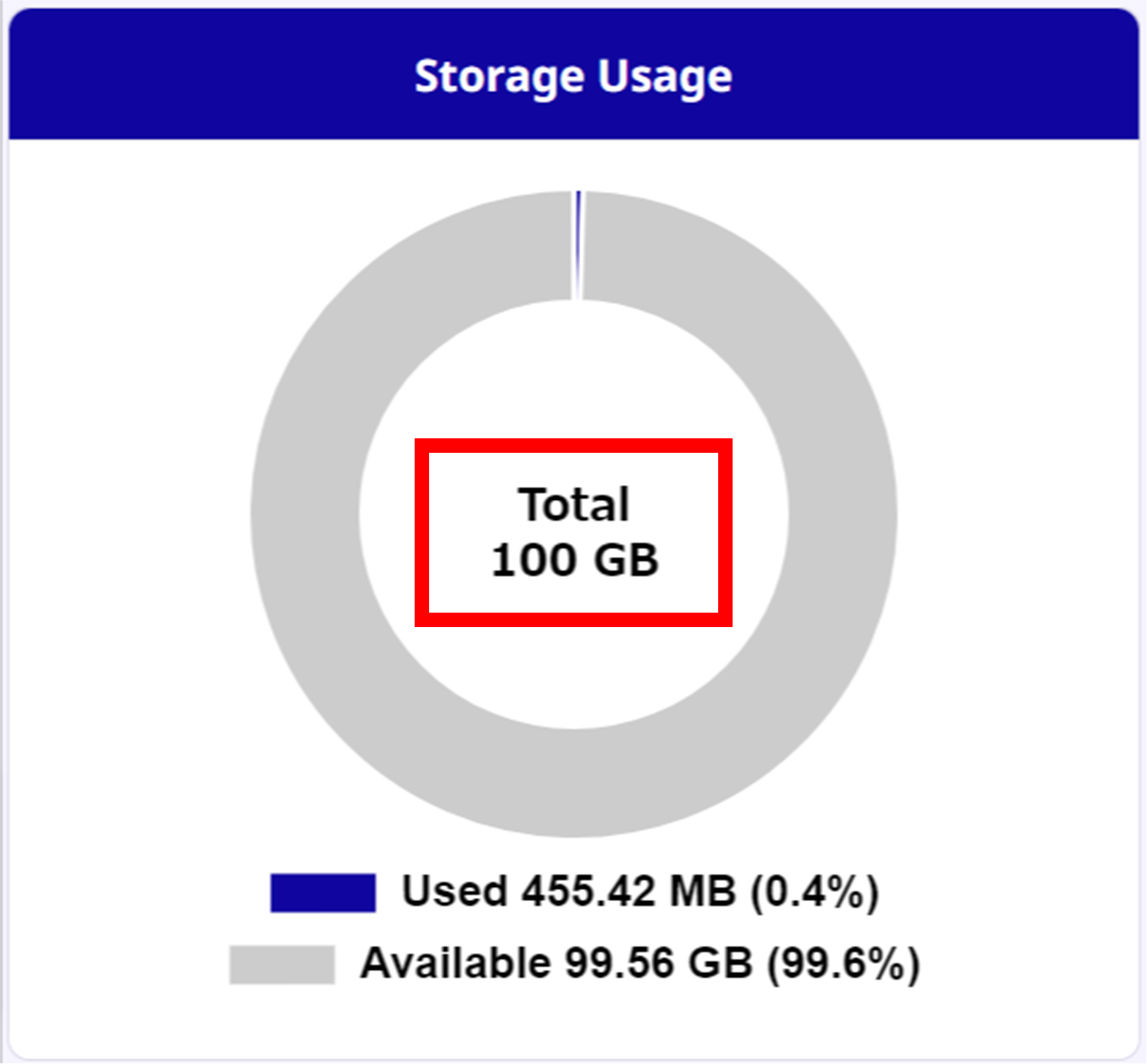
Storage Usage
Displays the storage size used by the device and the available storage size.
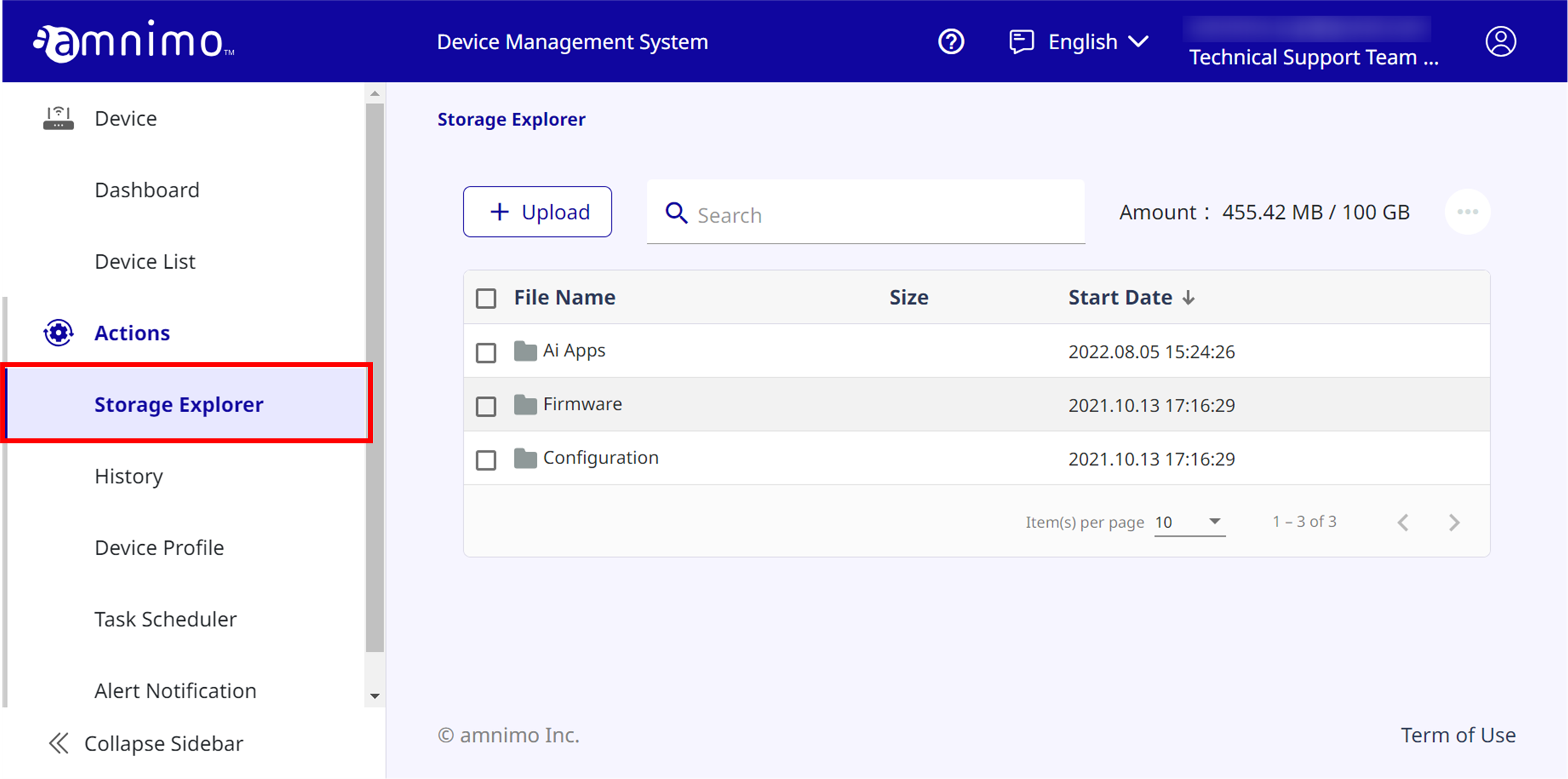
Click on the total area on the graph to display the Storage Explorer.
| Click on the total portion on the pie chart |
|